gnupg: There is no assurance this key belongs to the named user
I had the same issue after copying my key pair from one machine to another. The solution for me was the set the trust level of the keys:
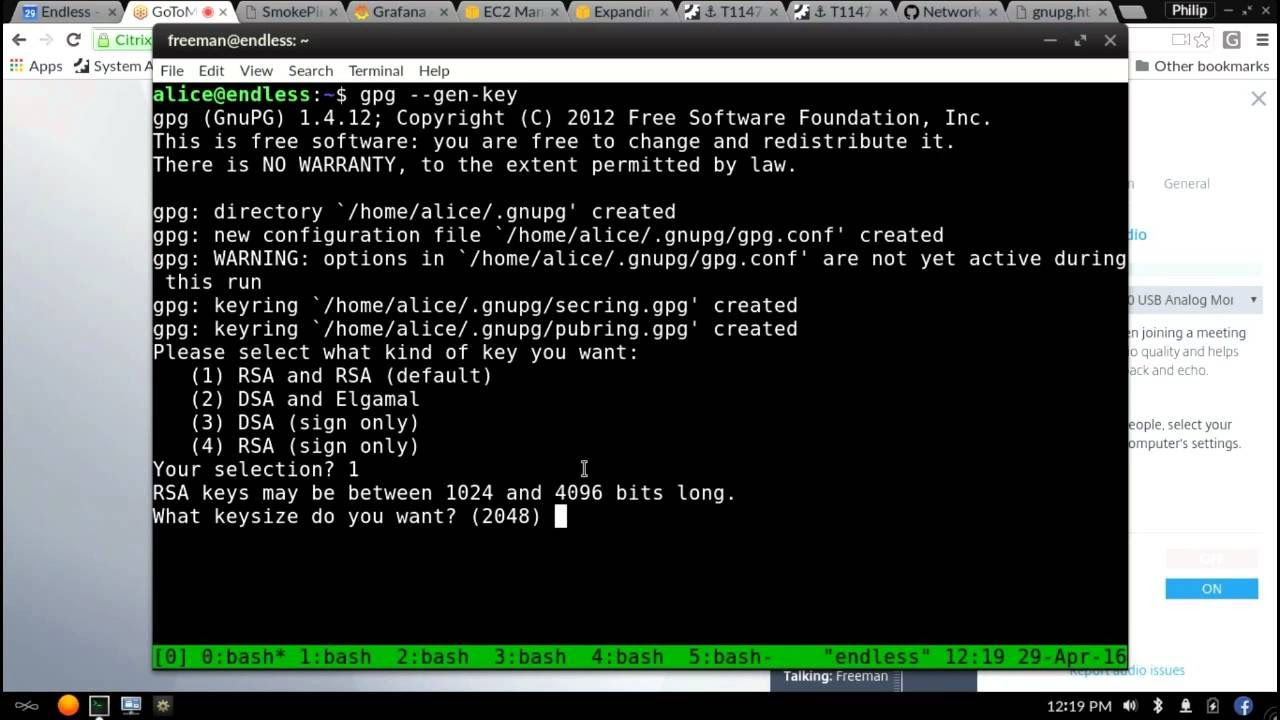
gpg --edit-key <KEY_ID>
gpg> trust
You will be asked to select the trust level from the following:
1 = I don't know or won't say
2 = I do NOT trust
3 = I trust marginally
4 = I trust fully
5 = I trust ultimately
m = back to the main menu
I selected 5 since I created the key so of course I trust it ultimately :). It will ask you to confirm your decision:
Your decision? 5
Do you really want to set this key to ultimate trust? (y/N) y
After confirming, quit with:
gpg> quit
You should then be able to encrypt using that key.
Related videos on Youtube
 21 : 02
 00 : 59
 49 : 48
 09 : 51
 02 : 26
 06 : 53
 03 : 50
 01 : 33
 09 : 58
 02 : 27
 02 : 26

Ivan Talalaev
talalaev.i.a(at)gmail.ru https://www.linkedin.com/in/ivan-talalaev-50a70794/
Updated on February 24, 2021Comments
-
Ivan Talalaev almost 2 years
I'm trying to use interesting password management tool named Pass.
I did the following:
- Installed gpg tool
$ sudo dnf install gpg - Generated a key using
$ gpg --gen-key - Typed
$ pass init "foobar id of my gpg key"as stated here - Got
mkdir: created directory ‘/home/chichivica/.password-store/’ Password store initialized for [email protected]- Tried to add a simple password
$ pass insert foo Enter password for foo: Retype password for foo:- And there is the problem
gpg: A45A123C: There is no assurance this key belongs to the named user gpg: [stdin]: encryption failed: Unusable public keyCould anyone give me some advice?
-
 Jens Erat about 7 yearsWhat is
gpg -Kprinting? -
Ivan Talalaev about 7 years@JensErat just this
/home/chichivica/.gnupg/secring.gpg ----------------------------------- sec 2048R/96F0E0C0 2015-10-26 uid Ivan Talalaev (chichivica) <[email protected]> ssb 2048R/76A1D91D 2015-10-26 -
Jens Erat about 7 yearsWhere in (6) is the ID A45A123C coming from? Your master key ID is another one.
-
Ivan Talalaev about 7 years@JensErat So, it's a question. Actually I do not know. I couldn't find any occurrences of this string!
-
Jens Erat about 7 yearsIs it listed using
gpg --list-keys A45A123C? What exactly did you specify inpass init? "foobar id" does not really explain what you have done. -
Ivan Talalaev about 7 years@JensErat 1.
gpg --list-keys A45A123Cresult:gpg: error reading key: public key not found2. As stated here I passed inpass init "Ivan Talalaev (chichivica) <[email protected]>". Also I triedpass init "[email protected]"with the same result. -
Jens Erat about 7 yearsTry
pass init 96F0E0C0. -
Ivan Talalaev about 7 years@JensErat I have already try that. Exactly the same result :(
-
 Arman Ortega over 5 yearsHi @Ivan, I also encounter this problem today. Were you able to solve it, how did you do it? Thanks
 -
Ivan Talalaev over 5 yearsHi @ArmanOrtega, The solution marked as answer helped me!
-
Arman Ortega over 5 years@Ivan ok. i'll try it. Thanks.
-
 ealfonso over 4 yearsIt appears that --list-keys may not list encryption subkey IDs, but
gpg --list-keys --keyid-format longdoes
- Installed gpg tool
-
 kumar almost 4 yearskey_id is the mailid you have used
 -
 John Mee over 3 years
gpg> quitto exit. -
 mike23 over 3 yearsor simply
gpg> qalso exits. -
 Enlico over 2 yearsLifesaving answer! Long live Jon Snow.
 -
 ñull about 2 yearsUnfortunately it did not work for me. Still get the same message. I had a script that used a passwordless key to encrypt my duplicity backups. Looks like I have to accept unencrypted from now on. :(
 -
 Sam almost 2 yearsi had to set the trust explicitly for the encryption ssb, i.e. select it first in the gpg prompt with
key <SSB_ID>so that an asterisk appears next to it -
 alper over 1 yearWould it be still working if I select
1for trust level? -
 netskink 11 monthsThank you for this.