android - adb more than one device/emulator
Solution 1
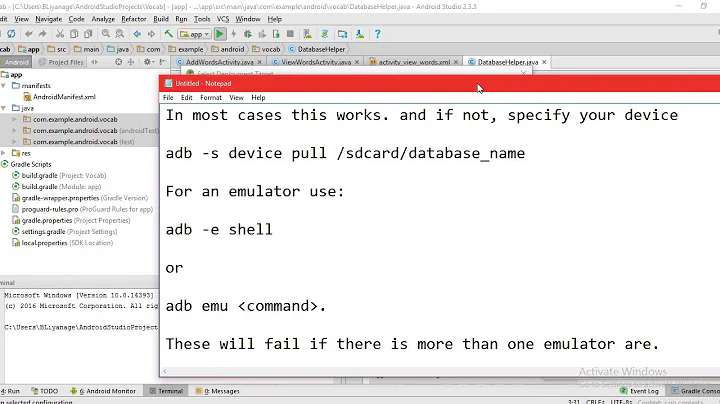
You can send commands to a specific device, according to docs:
$ adb devices
List of devices attached
emulator-5554 device
emulator-5555 device
$ adb -s emulator-5555 do_your_command
Also, if only one is emulator or a real device you can just attach -e or -d and send the command to it:
If you have multiple devices available, but only one is an emulator, use the -e option to send commands to the emulator. Likewise, if there are multiple devices but only one hardware device attached, use the -d option to send commands to the hardware device.
Solution 2
Do following thing which will help you,
You getting the message just because you are connected more than one device.
Run commands
adb devices
after the fire above command, you get the list of the device, From the list select your device id which not emulator and fire following command
adb -s f725aa8b7ce4(deviceId) tcpip 5555
and after this fire
adb connect yourIp 5555
Related videos on Youtube
![How To Fix ADB Error "Failed To Get Feature Set: More Than One Device/Emulator" [EN | ID]](vi/d_XrZl5m9eU/hqdefault_sqp--oaymwEcCOADEI4CSFXyq4qpAw4IARUAAIhCGAFwAcABBg---rs-AOn4CLAOVnk2FGsCE04XYop5DTKrsYubvQ.jpg) 01 : 04
01 : 04
![Android 12 Internals: [Ch2.vid1] Multiple devices in adb](vi/SnrepBPDHcI/hq720_sqp--oaymwEcCNAFEJQDSFXyq4qpAw4IARUAAIhCGAFwAcABBg---rs-AOn4CLCbFlFwvok3uHsm_I0YzBLK-a7rPA.jpg) 00 : 36
00 : 36
 01 : 59
 04 : 45
![[Solved] error: more than one device and emulator](vi/9tn4X8Vq-d8/hq720_sqp--oaymwEcCNAFEJQDSFXyq4qpAw4IARUAAIhCGAFwAcABBg---rs-AOn4CLC0P0nDKeHP7B4gJ-4hxvXYgpgzUw.jpg) 00 : 59
00 : 59

Navid Abutorab
Updated on February 01, 2020Comments
-
Navid Abutorab over 3 years
I genymotion emulator and my phone connected , I want to run and debug my application over wifi , I found the instruction to do so but I get this error when I enter this code :
adb tcpip 5555I get this error : error: more than one device/emulator
How can I make my device as default or something like that to solve this problem ?
-
 Mohammad Tabbara about 5 yearsDid you try 'adb -s <device ID> tcpip 5555' Device id you can get it from adb devices
-
-
 Michael Tolsma over 2 yearsFor some reason a command like:
adb shell -e emulator-5556 am broadcast android.intent.action.BOOT_COMPLETEdoesn't work when two emulators are attached. Can't have BlueStacks and another emulator at the same time.