AWS S3: An error occurred (AccessDenied) when calling the GetObject operation: Access Denied
Solution 1
To test the situation, I did the following:
- Created an IAM User with no attached policies
- Created an Amazon S3 bucket
- Turned off S3 block public access settings:
- Block new public bucket policies
- Block public and cross-account access if bucket has public policies
- Added a Bucket Policy granting
s3:*access to the contents of the bucket for the IAM User
I then ran aws s3 sync and got Access Denied.
I then modified the policy to also permit access to the bucket itself:
{
    "Id": "Policy",
    "Version": "2012-10-17",
    "Statement": [
        {
            "Sid": "statement",
            "Action": "s3:*",
            "Effect": "Allow",
            "Resource": [
                "arn:aws:s3:::my-bucket/*",
                "arn:aws:s3:::my-bucket"
            ],
            "Principal": {
                "AWS": [
                    "arn:aws:iam::123456789012:user/stack-user"
                ]
            }
        }
    ]
}
This worked.
Bottom line: Also add permissions to access the bucket, in addition to the contents of the bucket. (I suspect it is because aws s3 sync requires listing of bucket contents, in addition to accessing the objects themselves.)
Solution 2
If you use KMS encryption enabled on bucket you should also add policy that allows you to decrypt data using KMS key.
Solution 3
You can configure the S3 policy with the required principal
{
    "Version": "2012-10-17",
    "Statement": [
        {
            "Sid": "ListBucket",
            "Effect": "Allow",
            "Principal": {
                "AWS": "arn:aws:iam::accountId:user/*
            },
            "Action": "s3:ListBucket",
            "Resource": "arn:aws:s3:::bucket"
        },
        {
            "Sid": "GetObjects",
            "Effect": "Allow",
            "Principal": {
                "AWS": "arn:aws:iam::accountId:user/*
            },
            "Action": "s3:GetObject",
            "Resource": "arn:aws:s3:::bucket/*"
        }
    ]
}
Or you can create IAM policy and attached it to the role
{
    "Version": "2012-10-17",
    "Statement": [
        {
            "Sid": "ListBucket",
            "Effect": "Allow",
            "Action": [
                "s3:ListBucket"
            ],
            "Resource": "arn:aws:s3:::bucket"
        },
        {
            "Sid": "GetObject",
            "Effect": "Allow",
            "Action": [
                "s3:GetObject"
            ],
            "Resource": "arn:aws:s3:::bucket/*"
        }
    ]
}
Related videos on Youtube
![[Fixed] botocore.exceptions.ClientError: An error occurred (AccessDenied) when calling the PutObject](vi/1HcBqD6Izgw/hqdefault_sqp--oaymwEcCOADEI4CSFXyq4qpAw4IARUAAIhCGAFwAcABBg---rs-AOn4CLDifQCpY1amE4-runuX7X87y9xSZQ.jpg) 03 : 23
03 : 23
 07 : 00
 03 : 58
 05 : 12
 08 : 38
 04 : 02
 05 : 32

Vipin Verma
Updated on June 07, 2021Comments
-
Vipin Verma about 2 years
I have an AWS account with read/write permissions as shown below:
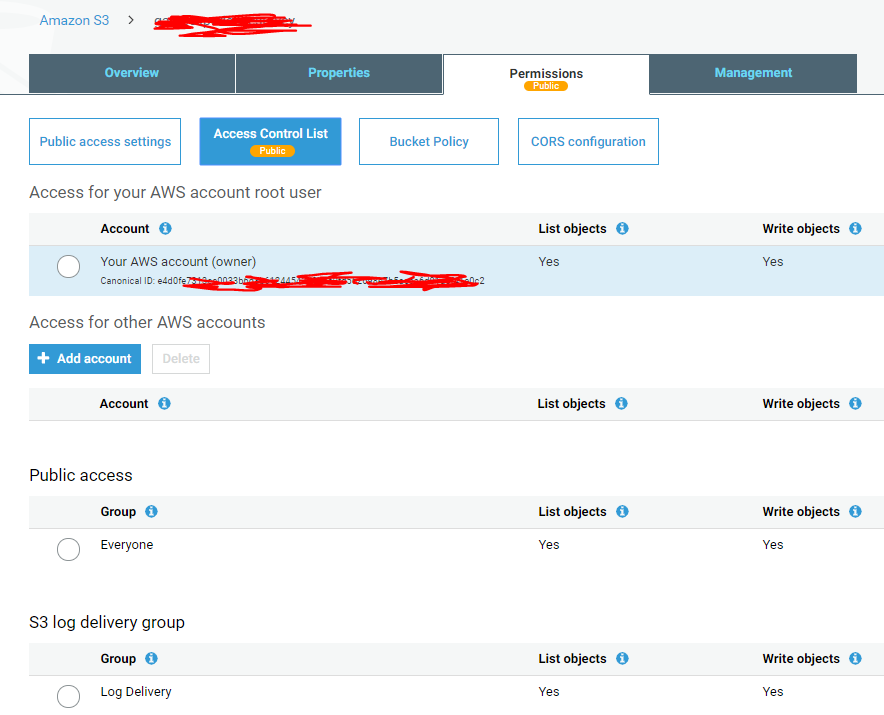
I'd like to make it so that an IAM user can download files from an S3 bucket but I'm getting access denied when executing
aws s3 sync s3://<bucket_name> .I have tried various things, but not to avail. Some steps that I did:- Created a user called s3-full-access
- Executed
aws configurein my CLI and entered the generated access key id and secret access key for the above user - Created a bucket policy (shown below) that I'd hoped grants access for my user created in first step.
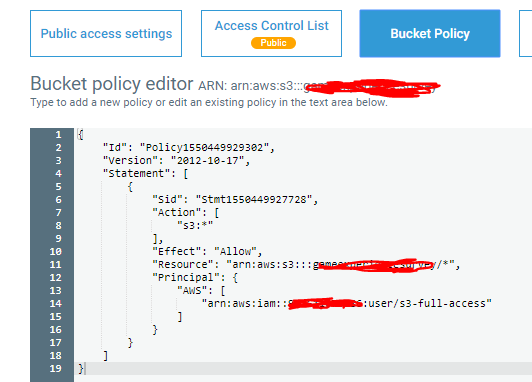
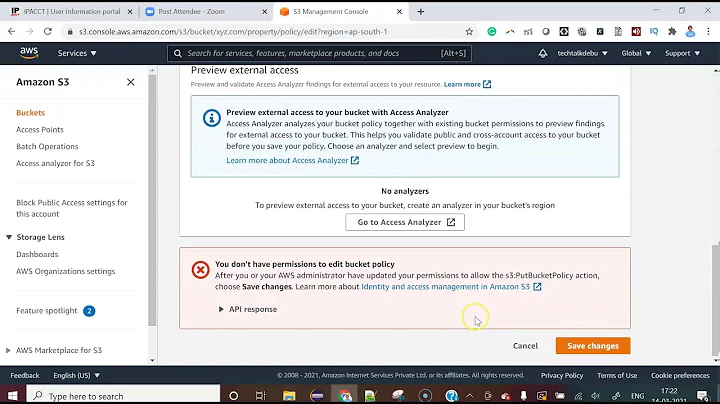
My bucket has a folder name AffectivaLogs in which files were being added anonymously by various users, and it seems like though the bucket is public, the folder inside it is not and I am not even able to make it public, and it leads to following error.
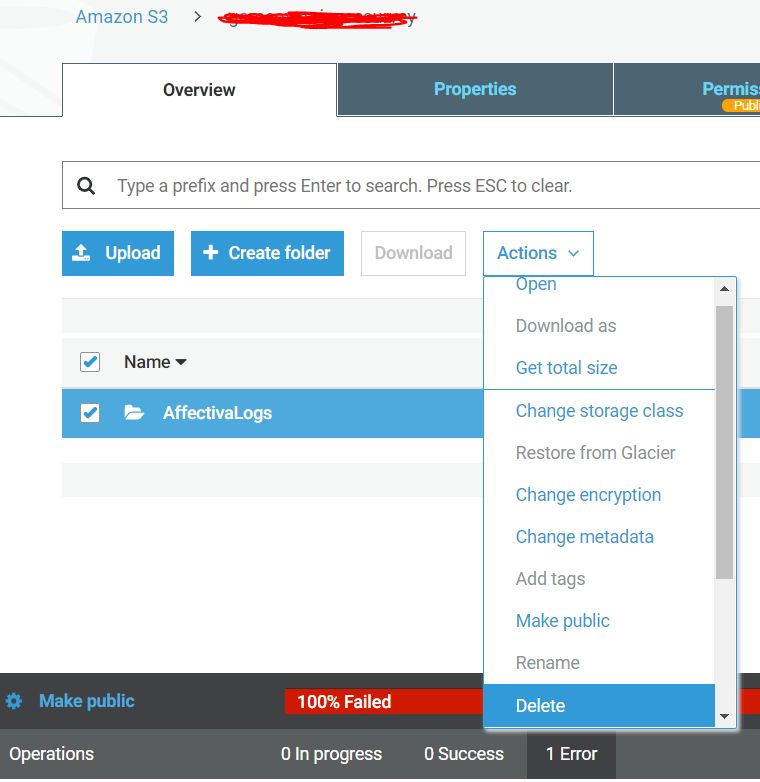
Following are the public access settings:
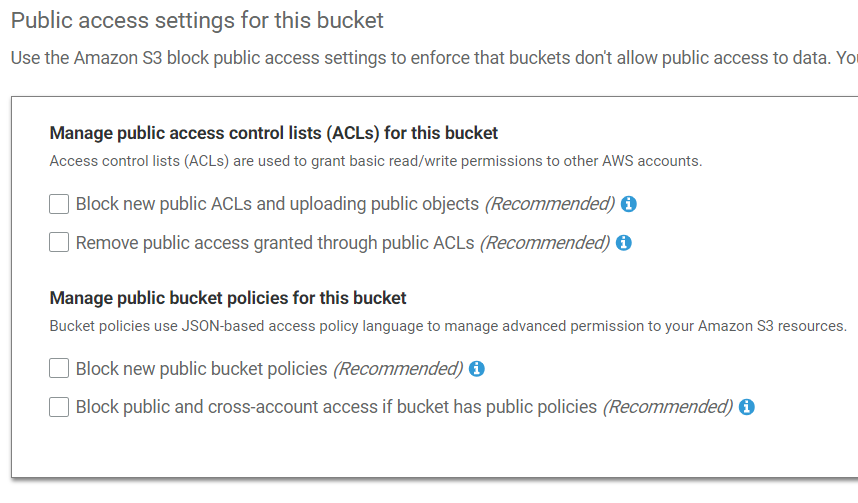
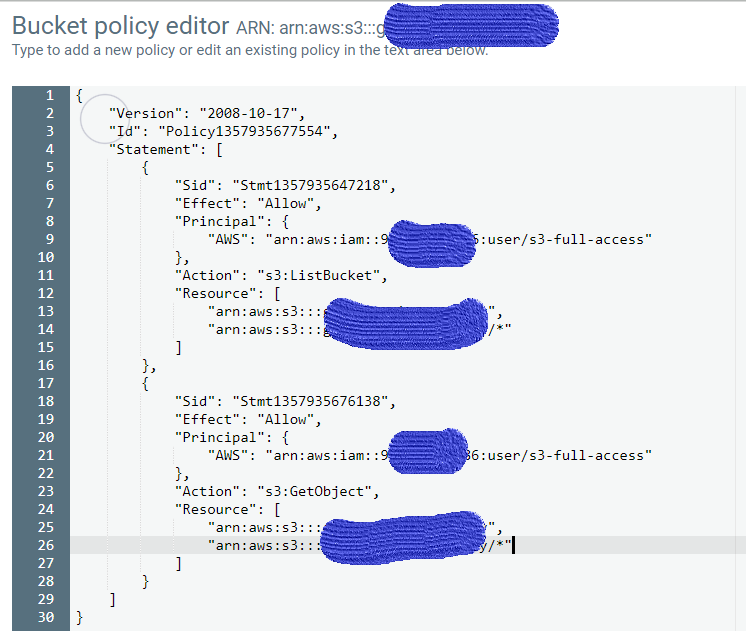
Update: I updated the bucket policy as follows, but it doesn't work.
-
 John Rotenstein over 4 yearsCan you run
aws s3 ls s3://your-bucket/with those credentials? Did you turn off S3 Block Public Access? (The two checkboxes in the Manage public bucket policies for selected buckets section.)
-
Vipin Verma over 4 yearsdid you check the box for the "Block new public bucket policies" as you mentioned above. sorry, it was a bit confusing.
-
Vipin Verma over 4 yearsI updated the
Resourcekey to have valuesarn:aws:s3:::my-bucket/*andarn:aws:s3:::my-bucket, but still same error -
Vipin Verma over 4 yearsI updated the question with my latest policy, which doesn't work either.
-
John Rotenstein over 4 yearsThe two options for "Block new public bucket policies" need to be turned OFF.
-
John Rotenstein over 4 yearsWell, something is clearly different to my above scenario. If you remove the bucket policy, can you still run
aws s3 ls s3://your-bucket/? If not, then this proves that the credentials you are using match the user in the policy. You might want to create a new IAM User and a new Bucket using my instructions above just to confirm that you get expected results, then compare to your existing bucket to figure out what is different. -
Vipin Verma over 4 yearsYes, these options are turned off as shown in the screenshot in question.
-
Vipin Verma over 4 yearseven after deleting the bucket policy, I got the output for
aws s3 ls s3://your-bucket/as follows:PRE AffectivaLogs/ -
John Rotenstein over 4 yearsIn that case, you have other permissions that are granting access to the bucket. Check in IAM whether that IAM User has an S3 policy. It doesn't explain why you can't sync, but something is a bit strange.
-
Vipin Verma over 4 yearsYes, IAM has full access to S3 using the policy console.aws.amazon.com/iam/home?region=us-east-1#/policies/…
-
John Rotenstein over 4 yearsWell, in that case they don't need the Bucket Policy. In fact, if you wish to give permissions only to one user, it is better to grant access in IAM rather than create a Bucket Policy for a single user. I don't know what would be causing the Access Denied. You should experiment to discover what is happening, such as creating a new bucket and trying to sync to it.