dial tcp 127.0.0.1:9091: connect: connection refused
If you're running grpcox as a docker container, you'll need to give the container either host network access (easiest) so that it can access the server running on the host's (!) port 9901 i.e. localhost:9901, or provide it with a DNS address that it can resolve the address your host, i.e. your-host:9901.
For host network access, run the container...
docker run --net=host ... gusaul/grpcox
Related videos on Youtube
 06 : 18
 03 : 23
 02 : 16
Sherlocker
Updated on June 04, 2022Comments
-
Sherlocker 7 months
I am using gRPC application and building a simple app. Below the files.
syntax = "proto3";
option java_multiple_files = true;
package com.grpc;
message HelloRequest {
    string firstName = 1;
    string lastname = 2;
}
message HelloResponse {
    string greeting = 1;
}
service HelloService {
    rpc hello(HelloRequest) returns (HelloResponse);
}
It generates the file normally
User.java -> generated from protoc compiler
userGrpc.java -> generated from protoc compiler
GRPCService.java
package GRPCService;
import java.io.IOException;
import io.grpc.Server;
import io.grpc.ServerBuilder;
import user.UserService;
public class GPRCService {
    public static void main(String[] args) throws IOException, InterruptedException {
        Server server = ServerBuilder.forPort(9091).addService(new UserService()).build();
        server.start();
        System.out.println("Server started at " +  server.getPort());
        server.awaitTermination();
    }
}
The system.out.println showing the server is running;
Server started at 9091And then I opened the firewall rule for TCP on port 9091 on ubuntu 18.04
sudo ufw allow from any to any port 9091 proto tcpResults:
java 28277 ubuntu 49u IPv6 478307 0t0 TCP *:9091 (LISTEN)I can even curl from the terminal
* Rebuilt URL to: http://localhost:9091/
*   Trying 127.0.0.1...
* TCP_NODELAY set
* Connected to localhost (127.0.0.1) port 9091 (#0)
> GET / HTTP/1.1
> Host: localhost:9091
> User-Agent: curl/7.58.0
> Accept: */*
>
Warning: Binary output can mess up your terminal. Use "--output -" to tell
Warning: curl to output it to your terminal anyway, or consider "--output
Warning: <FILE>" to save to a file.
* Failed writing body (0 != 40)
* stopped the pause stream!
* Closing connection 0
Curl command
curl -v http://localhost:9091But when executinng from the gui client
https://github.com/gusaul/grpcox
I get a connection refused.
dial tcp 127.0.0.1:9091: connect: connection refused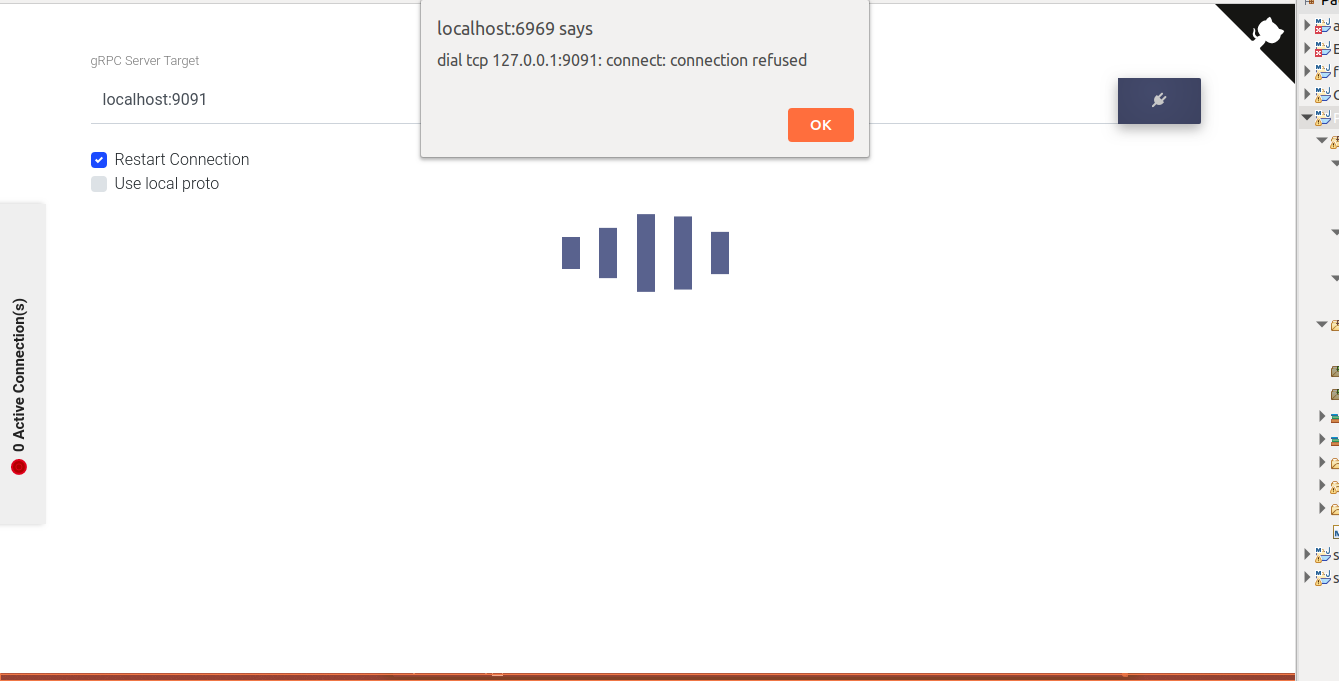
I am not using any VPN nor proxy and the GUI app is actually running inside a container.
docker run -p 6969:6969 -v {ABSOLUTE_PATH_TO_LOG}/log:/log -d gusaul/grpcoxIf somebody could please help me.
Thank you Stack !