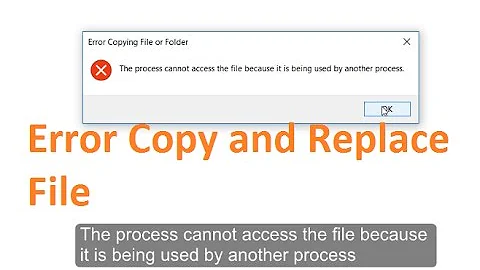
error "unable to copy file because it is being used by another process
Solution 1
Although you Hide() your forms, they still remain as a part of the process. If you don't close every form properly, the process will remain running and you cannot recompile your project and eventually you will have to kill your process using the taskmanager.
Visual Studio tries to rewrite your executable and if the executable runs as a process, Windows will refuse to write to your .exe.
Solution 2
Easy going solution is to add some code in Project Properties..
Just go to Project tab and select project properties.. From there select Build Events tab. And in Pre-build event Command line add the following code..
   if exist "$(TargetPath).locked" del "$(TargetPath).locked"
   if not exist "$(TargetPath).locked" move "$(TargetPath)" "$(TargetPath).locked"
Solution 3
Just delete the .exe file in the bin folder: bin\Debug\WindowsFormsApplication1.exe
Don't worry, the build will create a new one.
Solution 4
I finally how fix it. Why we can't continue debug after the first debug because the first debug exe still running. So that, after first debug, you need to go to Task Manager -> Process Tab -> [your project name exe] end the exe process.
Solution 5
I believe this is happen while you compiling the application or you start debugging the application.
This may be due to.
- While you stop the debug in VS, the process may not be stopped.
- May be you just executed the application, by double clicking it.
- Might be some issues due to permission. If you are using source control, some folders may be treated as read only while downloading the project. So you need to edit that manually.
- Make sure that you used Application.Exit() to exit from all the process. http://msdn.microsoft.com/en-us/library/system.windows.forms.application.exit.aspx
Related videos on Youtube
 03 : 48
 01 : 14
 04 : 30
 03 : 27
 01 : 45
 01 : 12
 03 : 39
![[SOLVED] Unable to copy a file from obj - Winform Visual Studio](vi/mlqQttAmFF0/hq720_sqp--oaymwEcCNAFEJQDSFXyq4qpAw4IARUAAIhCGAFwAcABBg---rs-AOn4CLCT627qV4R5MURfXr7kELcBiY0C4g.jpg) 01 : 43
01 : 43
![Unable to copy a file from obj\Debug to bin\Debug [solved]](vi/25T-faRD3bI/hq720_sqp--oaymwEcCNAFEJQDSFXyq4qpAw4IARUAAIhCGAFwAcABBg---rs-AOn4CLBvxLEPpnGGWeQbYtr9_Be5J6F8qw.jpg) 02 : 05
02 : 05

Hossein Hadavi
Updated on July 10, 2022Comments
-
Hossein Hadavi 11 months
I use windowsform application using C# language, I have many forms, and when I want to traverse from one to another, I use this.Hide();
When I use this method, I receive the shown error,
I know that the solution is to end process using windows task manager, But the question is that Is there any way I can use travel between forms without leading to this error?
Error 9 Unable to copy file "obj\x86\Debug\WindowsFormsApplication1.exe" to "bin\Debug\WindowsFormsApplication1.exe". The process cannot access the file 'bin\Debug\WindowsFormsApplication1.exe' because it is being used by another process. C:\Windows\Microsoft.NET\Framework\v4.0.30319\Microsoft.Common.targets 2868-
 bash.d almost 10 yearsWhen does this happen? When you recompile?
 -
 Daniel Mann almost 10 yearsThat's a compilation/file system issue, it has nothing to do with your code.
-
-
Hossein Hadavi almost 10 yearsactually when I hide the form, this error appears! what is the alternative coding?
-
Hossein Hadavi almost 10 yearsas you say, if after hiding, I close all the forms, will this error be gone ?
-
 kbvishnu almost 10 yearshow many forms you have ? whether you hides all forms ?. show the code snippet
 -
Hossein Hadavi almost 10 yearsThere are lots of forms, only one is shown below : Class1 newclass = new Class1(); this.Hide(); newclass.Show();
-
kbvishnu almost 10 yearswhen the error occurs. please share the steps in a high level mannae
-
 Kenny about 6 yearsI just used this in VS2017 because my Xamarin project kept failing like the OP's was. It worked for me too. Thanks.
 -
Kenny about 6 yearsOk. I spoke too soon. Now it errored saying exited with code 1. Real helpful error message Microsoft. Sigh.
-
 kjosh over 1 yearThanks! I was not able to delete files/folder under bin as it was throwing error as 'file is being used by another program'. I renamed the project.exe running and tried building and that resolved this error for me.