How to increase font size in NeatBeans IDE?
Solution 1
you might also want to change your font size for other parts of the IDE (other than the code).
Just add the parameter --fontsize <size> (default size is 11) to the startup command.
You can put it into the command line when launching IDE. You can also put it into the netbeans.conf file, which is in the /etc subdirectory of NetBeans installation.
Just place it as a last parameter into the netbeans_default_options parameter.
Solution 2
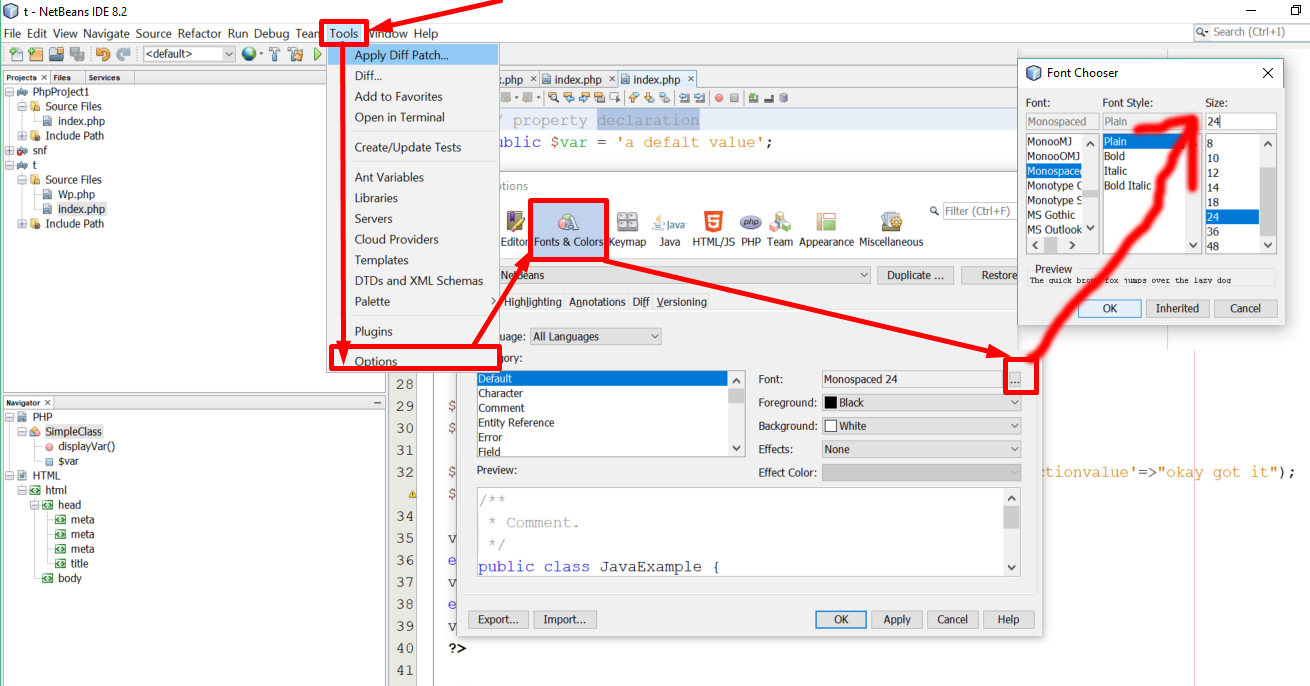
To increase the font size of netbeans 7.3.1 and 7.3 , you go from menu Tools>>Options>>"Fonts & Colors" (is an inner menu in the dialog window of Options)
At the "Syntax" tab ,every entry in the "Category:" list-box ,you will notice that the font has the value "Inherited". If you find in the "Category" list-box the entry with the name "Default" and change the font value of that, you will affect the font size of your editor, because everything is inherited from "Default" entry .
Another method is to increase temporary the font of the editor by a combination of keys. To find what are the keys go to the "Options" dialog window by Tools>> Options and then choose the "Keymap" menu entry and then in the "Search" textbox type "zoom text" and it will show you what combinations of keys for zooming in /out.
for example mine is the combination of "alt" key + mouse wheel up/down
Solution 3
1st Way:
press down Alt+z and scroll up or down (mouse wheel)
2nd way:
press down mouse scroll(wheel) button and scroll up or down
Solution 4
At Windows in the file C:\Program Files\NetBeans x.x\etc\netbeans.conf
Add "--fontsize [size]" at the end of line netbeans_default_options:
netbeans_default_options=".... --fontsize 16"
Solution 5
Check this image with red arrow direction
Related videos on Youtube
 03 : 13
 01 : 47
 01 : 41
 04 : 06
 03 : 19
 00 : 48
 05 : 50
 01 : 01
 01 : 21
 01 : 20

James
Updated on July 08, 2022Comments
-
James about 1 year
I just bought a new monitor that's rather large and I am having a lot of trouble reading the text on my editor. I tried increasing the font size the usual way by going to
Tools >> Options >> Fonts & Colors >> Clicking the "..." button next to font >> and then choosing a large font size
This is the result: (click for full size)
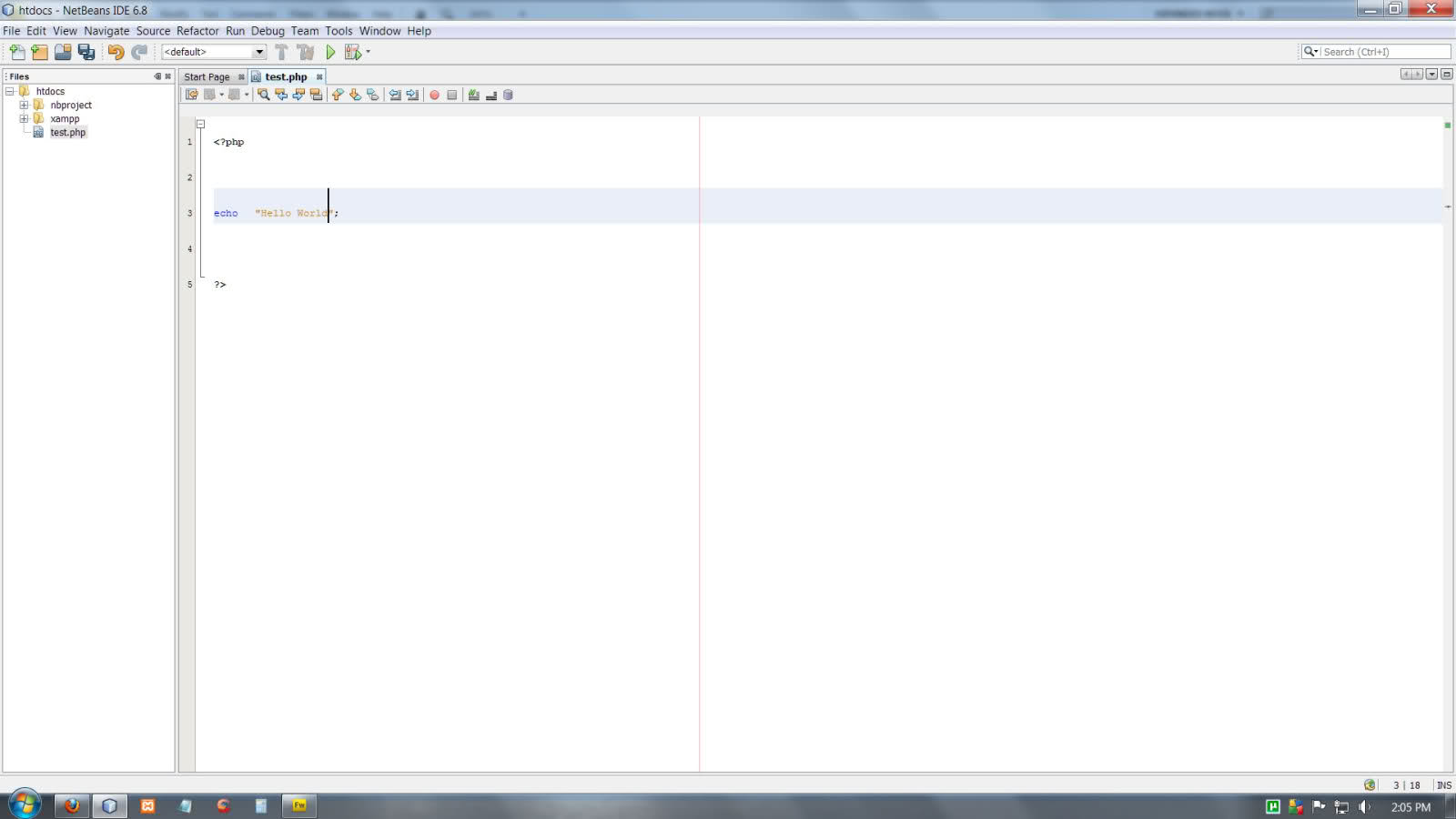
As you can see the cursor becomes a lot larger but the font size remains the same. Does anyone know another way to effectively increase font size in NetBeans?
-
 Gihanmu over 9 years@Bor - It took me a while to get what you are saying. Yep this is correct. We have to roll mouse wheel while pressing the mouse wheel :). No need to press any other key such as ctrl or shift. Thanks & up-voted
 -
 Loduwijk over 8 yearsThank you for this!!! I'm trying out size 20 now and it is so much easier to see - might even go higher, despite the equivalent of lost monitor real estate. Note for others: Don't do
--fontsize=20like I did at first, or Netbeans says it doesn't recognize the option; you need a space like--fontsize 20. -
 tomasz_kusmierczyk about 8 yearsThis sets the font size of the menus which was what I nedded, thank you.
 -
 GrantRobertson almost 7 yearsJust to confirm: It is two dashes and a space "--fontsize 20" even though all the other parameters in that line are one dash and an equals sign.
 -
 Rob over 6 yearsI can confirm this works for the latest version of Netbeans (8.2) on a Windows 10 laptop.
 -
 cosan over 6 yearsNot sure if you are referring to a Mac shortcut, but simply Alt + scroll works for me on Windows 10.
 -
 Kalle Richter about 6 yearsOn Xubuntu/Xfce desktop it's necessary to press the mouse wheel and roll because <kbd>Alt</kbd>+mouse wheel up/down causes the desktop to zoom in and out.
 -
 Werner about 6 yearsHandy feature, but it only increases/decreases font size for the current file being edited and does not seem to be persisted
 -
 charles ross over 5 yearsThis is for the font in the SOURCE panel in Netbeans, not NetBeans IDE.
 -
 OG Sean about 5 yearsCONFIRMED - just tried it following the other parameters single-dash and equals, but nope that breaks startup for Win10 netbeans, and using double-dash space like --fontsize 12 did the trick and it opens up with fontsize 12 or whatever fontsize number you put there. SO MUCH BETTER!
 -
 Sergey Orlov almost 5 yearsIt works only for Files/Projects/Services/Navigator... not for menus and treeview of projects/files
 -
 DragonLord over 4 yearsLubuntu: found this correctly under ~/netbeans-8.1/etc/netbeans.conf, NOT under invisible dir ~/.netbeans/8.1/ and not /etc/netbeans.conf . Menus + treeview work for me.
 -
 Daniel about 4 yearsJuly 2019 and you just made my day. Apache Netbeans 11 still works as described. Linux Fedora 30.
 -
 thanos.a almost 4 yearsWorks fine on Net Beans 11.1 in Windows 10. Editing needs administration priviledges.
 -
 DSlomer64 almost 2 years@Rob--please show the line that you have for netbeans default options, Here's mine and it doesn't change any font size anywhere because Netbeans won't even launch unless I erase "fontsize 16" " *netbeans_default_options="-J-client -J-Xss2m -J-Xms32m -J-Dapple.laf.useScreenMenuBar=true -J-Dapple.awt.graphics.UseQuartz=true -J-Dsun.java2d.noddraw=true -J-netbeans_default_options="-J-client -J-Xss2m -J-Xms32m -J-Dapple.laf.useScreenMenuBar=true -J-Dapple.awt.graphics.UseQuartz=true -J-Dsun.java2d.noddraw=true -J-Dsun.java2d.dpiaware=true -J-Dsun.zip.disableMemoryMapping=true--fontsize 16"