How to install MinGW-w64 and MSYS2?
Solution 1
Unfortunately, the MinGW-w64 installer you used sometimes has this issue. I myself am not sure about why this happens (I think it has something to do with Sourceforge URL redirection or whatever that the installer currently can't handle properly enough).
Anyways, if you're already planning on using MSYS2, there's no need for that installer.
-
Download MSYS2 from this page.
-
After the install completes, click on the newly created "MSYS2 Shell" option under either
MSYS2 64-bitorMSYS2 32-bitin the Start menu (ormingw64.exeormingw32.exein the installation directory).If done correctly, the terminal prompt will say
MINGW64orMINGW32respectively, notMSYS. -
Update MSYS2 using
pacman -Syuu. If it closes itself during the update, restart it and repeat the same command to finish the update.You should routinely update your installation.
-
Install a toolchain
a) for 64-bit:
pacman -S mingw-w64-x86_64-toolchainb) for 32-bit:
pacman -S mingw-w64-i686-toolchainThis includes GCC (the compiler), GDB (the debugger), and more.
-
Install any libraries/tools you may need. You can search the repositories by doing
pacman -Ss name_of_something_i_want_to_installe.g.
pacman -Ss gsland install using
pacman -S package_name_of_something_i_want_to_installe.g.
pacman -S mingw-w64-x86_64-gsland from then on the GSL library will be automatically found by your compiler!
Make sure any compilers and libraries you install have this package prefix (
mingw-w64-x86_64-for 64-bit ormingw-w64-i686-for 32-bit). Only use unprefixed packages for misc command-line utilities (such asgrep,sed,make, etc), unless you know what you're doing. -
Verify that the compiler is working by doing
gcc --version
If you want to use the toolchains (with installed libraries) outside of the MSYS2 environment, all you need to do is add <MSYS2 root>/mingw64/bin or <MSYS2 root>/mingw32/bin to your PATH.
Solution 2
MSYS has not been updated a long time, MSYS2 is more active, you can download from MSYS2, it has both mingw and cygwin fork package.
To install the MinGW-w64 toolchain (Reference):
- Open MSYS2 shell from start menu
- Run
pacman -Sy pacmanto update the package database - Re-open the shell, run
pacman -Syuto update the package database and core system packages - Re-open the shell, run
pacman -Suto update the rest - Install compiler:
- For 32-bit target, run
pacman -S mingw-w64-i686-toolchain - For 64-bit target, run
pacman -S mingw-w64-x86_64-toolchain
- For 32-bit target, run
- Select which package to install, default is all
- You may also need
make, runpacman -S make
Solution 3
You can now also get the standalone personal build of MinGW-w64 from https://winlibs.com/ which requires no installation - just extract and its ready to use. This allow having multiple toolchains on the same system (e.g. one for Windows 32-bit and another for Windows 64-bit).

smwikipedia
"A good question is half the answer." --- Anonymous "All problems in computer science can be solved by another level of indirection, except of course for the problem of too many levels of indirection." --- David Wheeler "If I were given one hour to save the planet, I would spend 59 minutes defining the problem and one minute resolving it." --- Albert Einstein
Updated on November 24, 2021Comments
-
smwikipedia about 1 year
I am trying to build some open source library. I need package management system to easily download the dependencies. At first I am using
MinGW+MSYS. But the included packages are limited. Someone told me to useMinGW-w64 + MSYS2.I downloaded the
mingw-w64-installfrom here. When running, it reports the following error. How to fix it?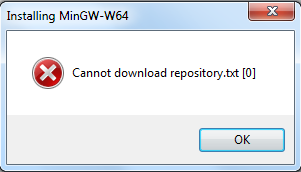
And btw, from the
MinGW-w64download page, I see a lot of download links. Even Cygwin is listed. HowCygwinandMinGW-w64are related?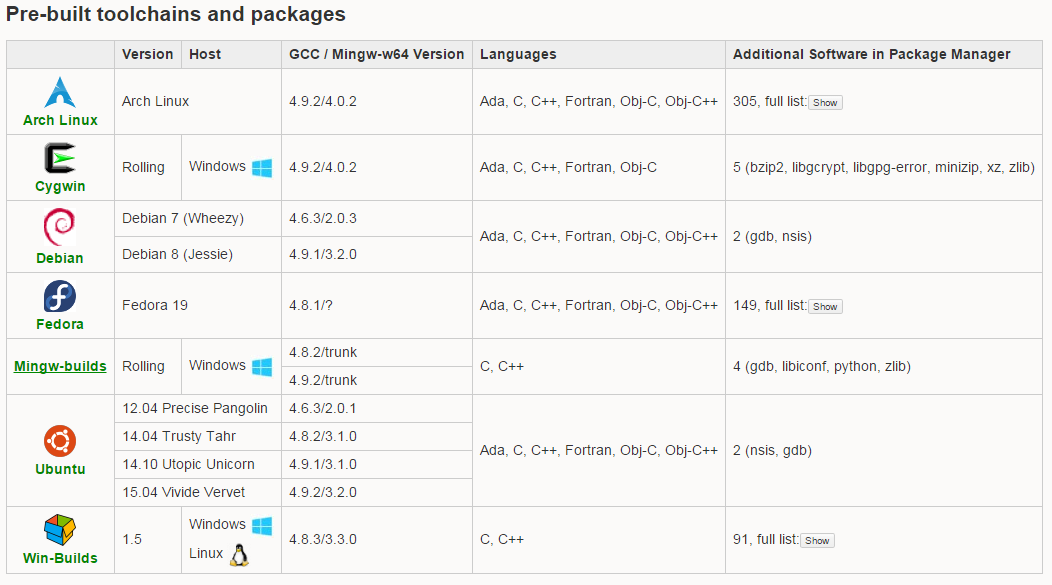
My current understanding is, in the time of
MinGW+MSYS, MSYS is just a nice addon to MinGW, while inMinGW-w64 + MSYS2, MSYS2 is standalone and MinGW-w64 is just a set of libraries it can work with. Just like Cygwin can download many different packges. -
smwikipedia over 7 yearsThanks. How can I get the canonical name of a package that
pacmancan recognize? -
 Colonel Panic about 7 yearsWill it work if you install both 32 and 64 bit toolchains simultaneously?
 -
 rubenvb about 7 years@Colonel yes, it will install the toolchains (and any 3rd party libraries you install) in separate directories (/mingw32 and /mingw64).
 -
 Nick Westgate over 6 yearsTo use in MSYS2 shell I had to do: PATH=/mingw64/bin:$PATH
 -
 Toby over 6 yearsThank you so much @rubenvb. The msys2 wiki is so confusing to noobs like myself on how to do these few simple steps.
 -
rubenvb over 6 years@Toby I agree they take "the Arch Way" in explaining things, i.e. read the Arch wiki on pacman and you'd know nearly the same. A beginner's setup might be useful, although it is now on SO which should turn up on Google quite quickly :). (read this as: keep upvoting this answer :P)
-
Toby over 6 yearsReading the pacman documentation took me about half an hour to figure out how to actually install things instead of just listing them, LOL - Much more used to yum or apt-get!
-
rubenvb over 6 years@Toby you need to work on your reading skills: wiki.archlinux.org/index.php/….
-
Toby over 6 years@rubenvb Ah that is indeed easier! I was looking at archlinux.org/pacman/pacman.8.html
-
 francis over 6 yearsUsing
pacmanto installmingw-w64is a great advice. I faced the same issue while trying to install mingw-w64 behing a proxy. Installing MSYS2 first, setting environment variables for the proxy like superuser.com/questions/713582/… and following your answer works perfectly. -
 Youda008 about 6 yearshow do i install specific MinGW-w64 version like
x86_64-6.2.0-release-posix-seh-rt_v5-rev1? -
 lanoxx almost 6 yearsDoes that mean the mingw installer as described here is not necessary anymore? and I should just install msys2?
 -
 ajbeaven almost 6 yearsThanks so much for this post - this should seriously replace the windows compilation guides. Is there anything you can add to this about cross compiling? When using MSYS2 and following the guide, there are issues with using the --cross-prefix=i686-w64-mingw32-. Perhaps this is unnecessary with how MSYS2 installs the gcc and instead relies on the order of environment variables specified in PATH?
 -
 Jean-Francois T. over 5 yearsLink
Referenceis broken -
A_P over 3 yearsany ideas on why msys2 shell would close itself after a second?
-
 user136036 almost 3 yearsIn case you need cmake, you have to install
pacman -S mingw-w64-x86_64-cmakeand NOTcmake. Normal cmake will lack generators for minGW. -
user136036 almost 3 yearsIn case you need cmake, you have to install
pacman -S mingw-w64-x86_64-cmakeand NOTcmake. Normal cmake will lack generators for minGW. -
 M.M almost 3 yearsImportant note -- when using the pacman upgrade commands, it may show a message telling you to force close the window -- it's important to actually obey the message
 -
 k_o_ over 2 yearsRegarding step 5. (Open a MinGW-w64 shell): When the tools are installed using the Chocolatey packet manager the shell must be opened manually from the directory
C:\tools\msys64 -
 rustyx about 2 yearsBeware that this instruction is not enough to get
std::threadandstd::mutexworking in MinGW. See here for more info. -
 Admin about 2 yearsIs it okay if I install mingW-w64 SEPARATELY using mingw-w64 install file, and then install MSYS2 through its x86_64 installer?
 -
rubenvb about 2 years@Valsak yes, that's possible (the MSYS2 MinGW-w64 x86_64 GCC is a native compiler toolchain like any other). Just don't install the separate MinGW-w64 install inside the MSYS2 tree ir you'll mess up MSYS2's file tracking. By installing a separate toolchain, you can more easily stick to a specific GCC version, but you lose the convenience of having everyting updating as a whole.
-
 HolyBlackCat about 1 yearMSYS2 also supports multiple toolchains per installation (and multiple installations). Winlibs is indeed easy to use, but lacks a package manager (i.e. no prebuilt libraries) and a linux-like environment (can't build stuff using Autotools).
 -
 Brecht Sanders about 1 year@HolyBlackCat Thanks for your insights. I'm actually working on a package manager for winlibs, and I'm making it cross-platform.