How to install VS code extension manually?
69,779
Solution 1
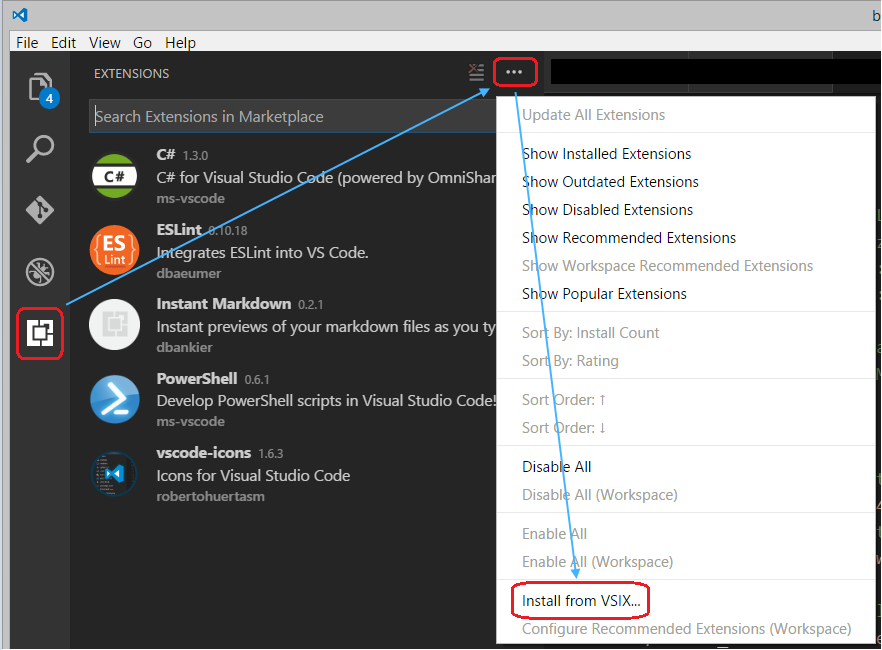
Download the extension from VSCode marketplace, it'll be a .vsix file, then do like the image below.
Solution 2
You can also use the command-line to install extensions from VSIX files using the --install-extension parameter.
code --install-extension /path/to/vsix
eg: code --install-extension vscodevim.vim
Solution 3
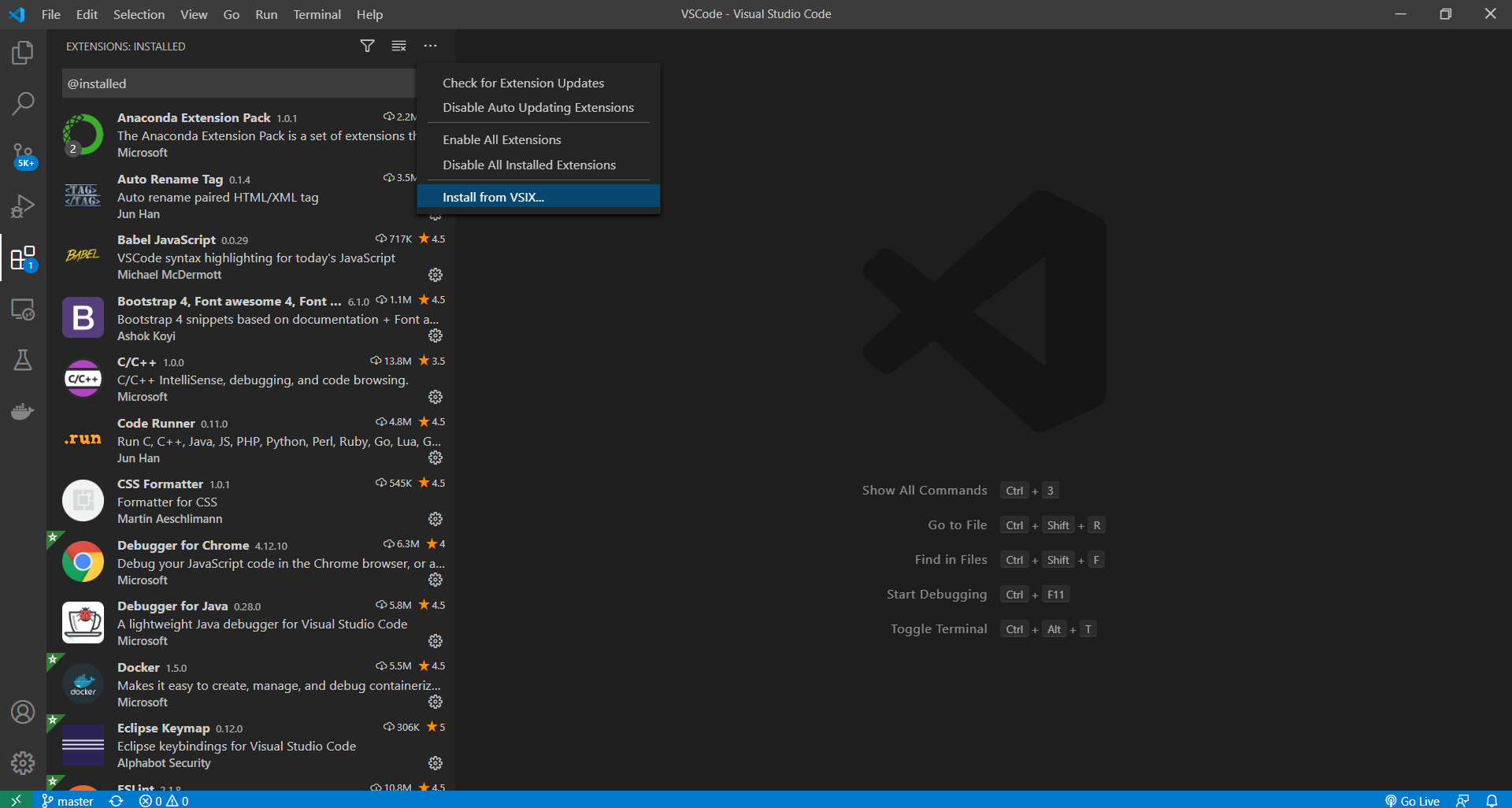
Just in case u have a same UI as mine. Happy coding!

Author by
Vikas Bansal
javascript, typescript, ReactJs, Angularjs, Nodejs, Electronjs.... waiting for the next :) :P :D
Updated on July 08, 2022Comments
-
Vikas Bansal 6 months
I am not able to download any extension via VS Code on my office system due to the proxy. Is there a way that I can do it manually by downloading and placing the downloaded files at the right place?