sh: dot: command not found + doxygen + Lion
Solution 1
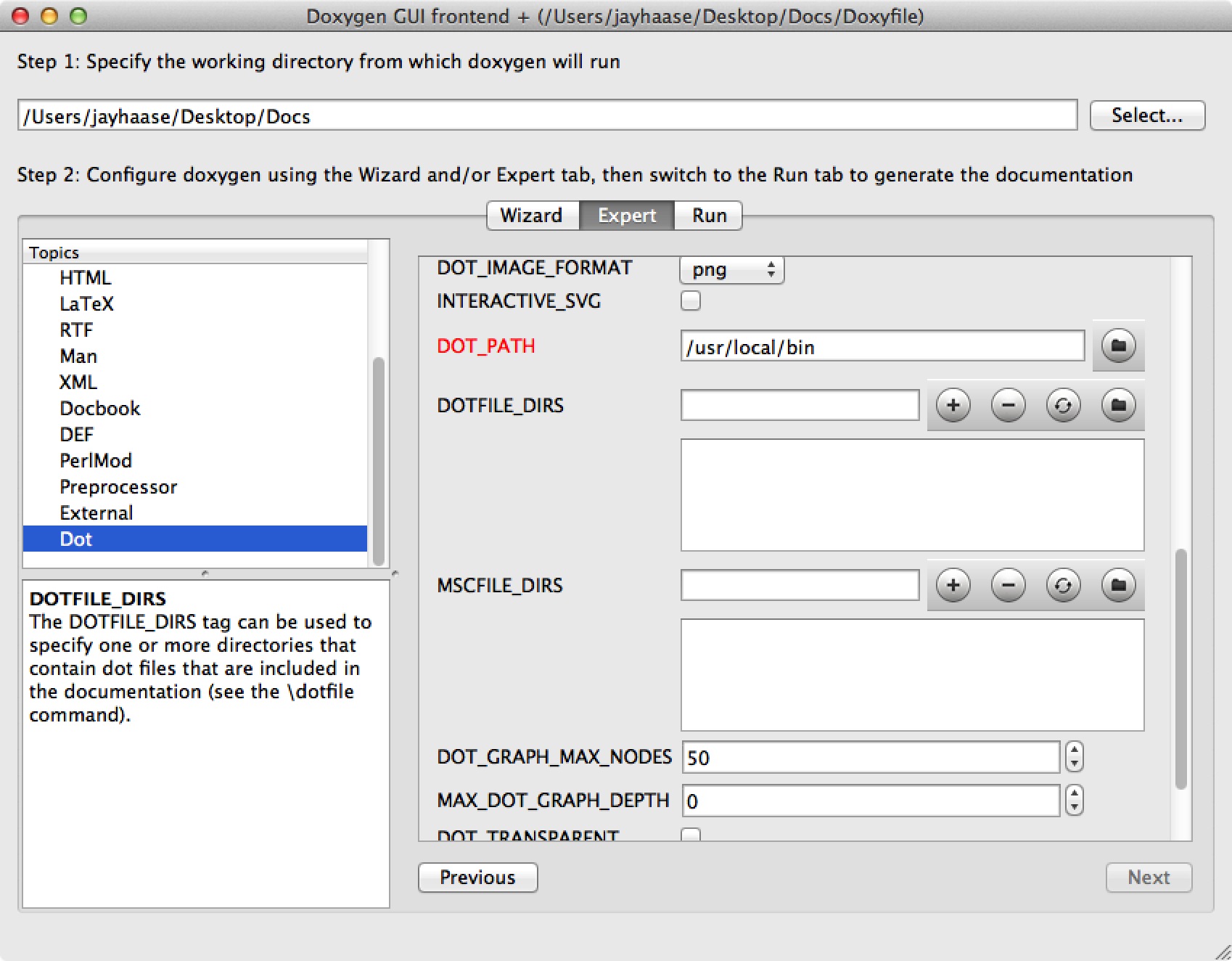
Set the DOT_PATH to: /usr/local/bin
Solution 2
For those who call CMake's configure_file() on their Doxfile, an alternative is:
DOT_PATH = ${DOXYGEN_DOT_PATH}
For me, even though dot's path was in $PATH, the above is the only way I could make it work. Go figure.
Solution 3
The DOT_PATH must be set withing quotes else the paths with whitespaces won't work
DOT_PATH = "@[email protected]"
Solution 4
set DOT_PATH in your doxygen.conf to blank. That works because doxygen will look in your path for.
I installed doxygen with macports, so dot is at /opt/local/bin/dot

Salil
Updated on December 01, 2020Comments
-
Salil about 2 years
- MacOS version: 10.7.2 (Lion)
- Doxygen version: 1.7.5.1
- Graphviz version: 2.29
Doxygen configuration:
DOT_PATH = ../../../../Applications/Contents/MacOS/Graphviz
HAVE_DOT = YES
SHORT_NAMES = YES
From the log console, first line it gives a warning:
warning: the dot tool could not be found at ../../../../Applications/Contents/MacOS/Graphviz
I have tried various combinations but the warning does not go away, although it does generate the images.
Generating dot graphs using 9 parallel threads...
Running dot for graph 1/68
sh: dot: command not foundProblems running dot: exit code=127, command='dot', arguments='"/Users/salilk/Documents/project/DoxygenDocs/html/a00033.dot" -Tpng -o "/Users/salilk/Documents/project/DoxygenDocs/html/a00033.png"'
In the html directory the .dot files have been generated but no .png.
Now if I execute the same command from the Terminal the .png file gets generated and is displayed in its .html file.
Another error from the console is:
error: problems opening map file /Users/salilk/Documents/A2O Collaborate/DoxygenDocs/html/a00032.map for inclusion in the docs! If you installed Graphviz/dot after a previous failing run, try deleting the output directory and rerun doxygen.
Is this related to the above problem ?
I have used Doxygen before on a Windows machine and didn't have these errors, do we need to do any configurations specific for Mac?
-
Jacob Block over 7 yearsQuite obvious after you see it ;) Thanks a bunch!
-
Gabrer about 7 yearsSolved also my problem in OS x El Captain, Eclipse Mars and Eclox plug-in!
-
 DanyAlejandro over 5 yearsIf you don't know where your "dot" binary file is, try running the command "dot -v" in your console; The information that appears (provided you do have Graphviz installed) includes the "libdir" full path, and the "bin" directory that you're looking for will be at the same path as the "lib" folder in that path.