How do I update all NuGet packages at once with the dotnet CLI?
Solution 1
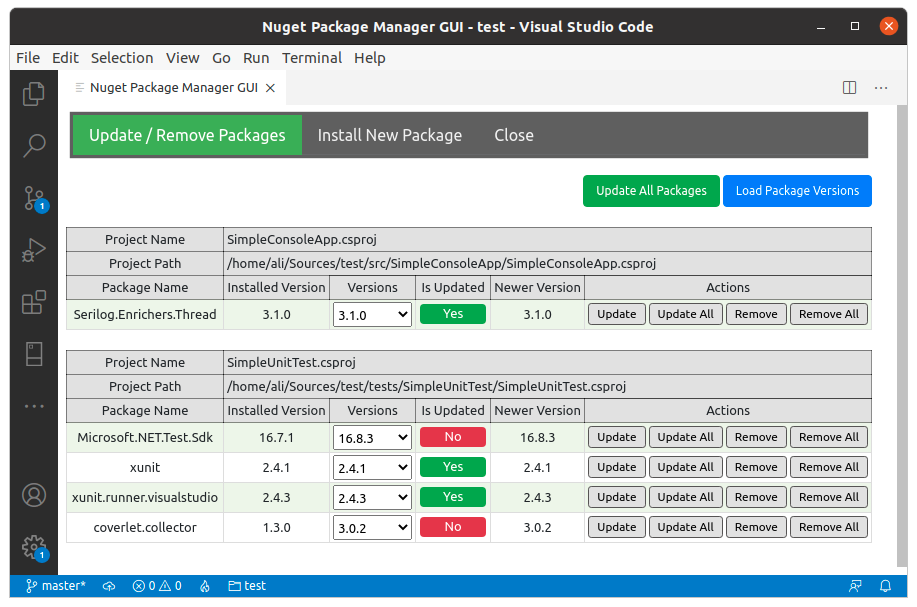
For Update all packages in all projects nuget package manager gui extension can do it with one click.
How it works
- Open your project workspace in VSCode
- Open the Command Palette (Ctrl+Shift+P)
- Select > Nuget Package Manager GUI
- Click
Load Package Versions - Click
Update All Packages
Solution 2
Based on Jon Canning's powershell solution. I fixed a small bug where only the first dependency was being updated and not all the dependencies for the project file.
$regex = 'PackageReference Include="([^"]*)" Version="([^"]*)"'
ForEach ($file in get-childitem . -recurse | where {$_.extension -like "*proj"})
{
    $packages = Get-Content $file.FullName |
        select-string -pattern $regex -AllMatches |
        ForEach-Object {$_.Matches} |
        ForEach-Object {$_.Groups[1].Value.ToString()}|
        sort -Unique
    ForEach ($package in $packages)
    {
        write-host "Update $file package :$package"  -foreground 'magenta'
        $fullName = $file.FullName
        iex "dotnet add $fullName package $package"
    }
}
Solution 3
Here's a shell script and a powershell script that will do this
#!/bin/bash
regex='PackageReference Include="([^"]*)" Version="([^"]*)"'
find . -name "*.*proj" | while read proj
do
  while read line
  do
    if [[ $line =~ $regex ]]
    then
      name="${BASH_REMATCH[1]}"
      version="${BASH_REMATCH[2]}"
      if [[ $version != *-* ]]
      then
        dotnet add $proj package $name
      fi
    fi
  done < $proj
done
$regex = [regex] 'PackageReference Include="([^"]*)" Version="([^"]*)"'
ForEach ($file in get-childitem . -recurse | where {$_.extension -like "*proj"})
{
  $proj = $file.fullname
  $content = Get-Content $proj
  $match = $regex.Match($content)
  if ($match.Success) {
    $name = $match.Groups[1].Value
    $version = $match.Groups[2].Value
    if ($version -notin "-") {
      iex "dotnet add $proj package $name"
    }
  }
}
Should also mention Paket as a fantastic alternative package manager that supports update:
https://fsprojects.github.io/Paket/index.html
dotnet tool install paket --tool-path .paket
Also have a look at dotnet outdated:
https://github.com/dotnet-outdated/dotnet-outdated
Solution 4
This seems to work https://nukeeper.com/
dotnet tool install nukeeper --global
nukeeper update <SLN/PROJ>
UPDATE
The default settings on nukeeper seem slightly odd to me as running nukeeper update will only update a single package, and only if it is a major version that is more than 3 days old.
To update to the latest non-prerelease version of everything run:
nukeeper update -a 0 -m 1000
And for prerelease:
nukeeper update -a 0 -m 1000 --useprerelease Always
The -m 1000 flag is a synonym for everything, assuming that you have less than 1000 packages in your solution / project.
Solution 5
For CLI - as already mentioned in comments there exist a package to perform updates https://github.com/dotnet-outdated/dotnet-outdated
From UI - In case some one is still looking for answer, with vs 2019 this has been pretty easy :)
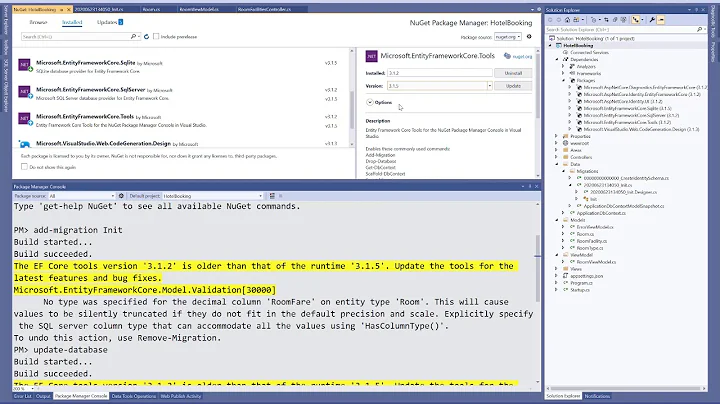
Right Click on solution and choose "Manage nuget package for solution".
It should open a window like below -
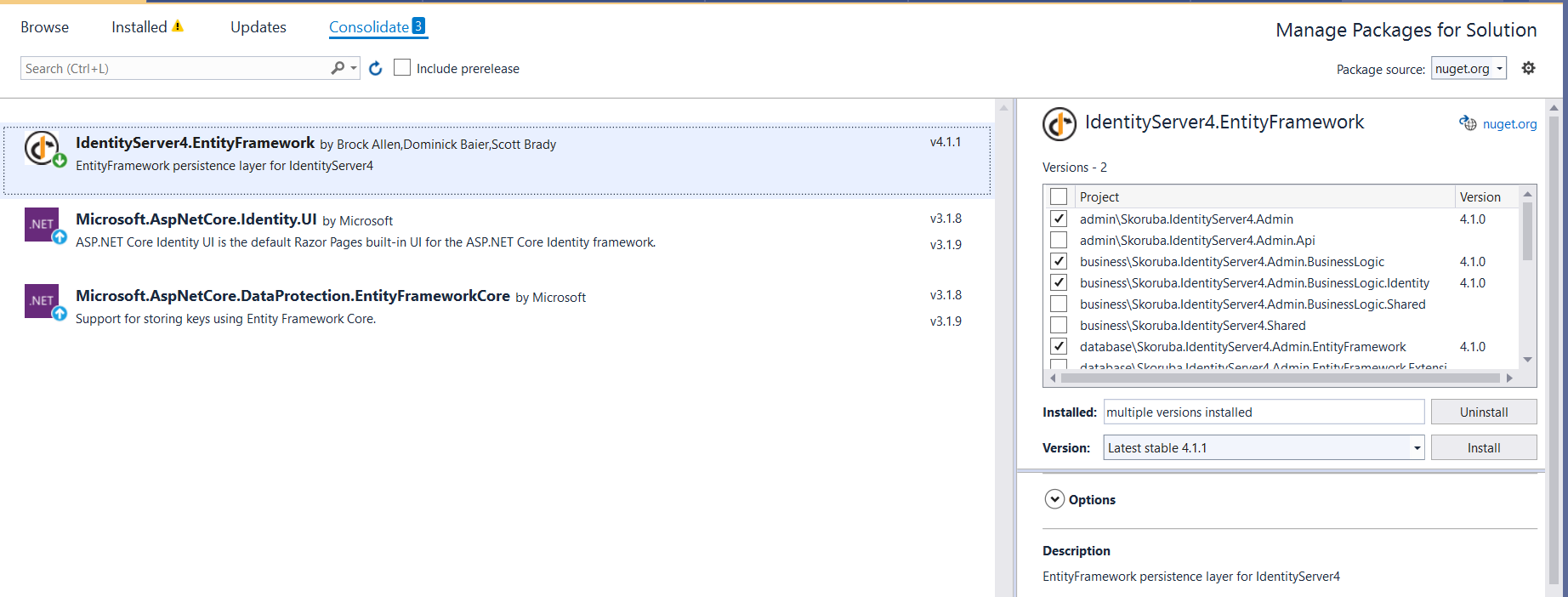
On selection of package, right side we can see the project and we can update the packages :)
Related videos on Youtube
![Install and Use a NuGet Package with Visual Studio | NuGet 101 [2 of5]](vi/ohaz_sPLp4Y/hq720_sqp--oaymwEcCNAFEJQDSFXyq4qpAw4IARUAAIhCGAFwAcABBg---rs-AOn4CLARbF0DN52PTg0IUJefTOsp70UmXQ.jpg) 05 : 45
05 : 45
 10 : 21
![Install and Use a NuGet Package with the .NET CLI | NuGet 101 [3 of 5]](vi/oM-G7un2GkI/hq720_sqp--oaymwEcCNAFEJQDSFXyq4qpAw4IARUAAIhCGAFwAcABBg---rs-AOn4CLB-F15v26uwHCgnmdtPd5egNBlAAA.jpg) 05 : 46
05 : 46
![Create and Publish a NuGet Package with the .NET CLI | NuGet 101 [5 of 5]](vi/f8JyT6J4b1Q/hq720_sqp--oaymwEcCNAFEJQDSFXyq4qpAw4IARUAAIhCGAFwAcABBg---rs-AOn4CLAlWwgdMxXsIHm87ZZN5FoT7A7GTg.jpg) 07 : 12
07 : 12
 14 : 03
 01 : 08
 09 : 45

Carlos Torrecillas
Updated on November 30, 2021Comments
-
Carlos Torrecillas 11 months
I'm trying to update all NuGet packages for a solution in VS Code (using Mac). Is there a way to achieve that in VS code or for a specific project.json file? At the moment I'm going one by one but I would have thought there is either an extension or a feature that does that for you?
-
 Lex Li almost 4 yearsYou should accept an answer below to close the question, while most people in 2019 should use tools like
dotnet-outdatedgithub.com/jerriep/dotnet-outdated -
 CrazyPyro about 2 yearsThanks @LexLi it looks like that's now moved to github.com/dotnet-outdated/dotnet-outdated
-
-
 Rolf Wessels almost 4 yearsLooks like that powershell script only returns the first regex match for every file. I will add an alternative solution below.
 -
 bbqchickenrobot over 1 yearGreat on the shell script!
 -
 mdisibio over 1 yearIn case it's not clear, if you click on the topmost menu strip 'Updates' you can select all packages with available updates for the entire solution in one click...no need to pick and choose from the detail window on the right.
 -
mdisibio over 1 yearWhat is the reasoning for not updating packages with a dash in the version number? (If that's how I read it...)
-
bbqchickenrobot about 1 yeargreat tool! WIsh I knew about this before today. I used the bash script above and although it works great, i like that I can get stats w/ this tool
-
 Michael Bisbjerg 10 monthsThis is really cool - one issue though is that when it does update packages, it changes the format of the csproj files it modifies, f.ex. removing empty lines and changing the indentation.
 -
 Ali.Asadi 10 monthsyou can set your own indenting in the settings: //The number of spaces to be used for indenting XML output. Passing characters like ' ' or '\t' are also accepted "nugetpackagemanagergui.indentType": "2"
 -
 SomeCode.NET 10 monthsGreat extension! Are you planning to publish a new release ?
 -
Ali.Asadi 10 monthsUnfortunately, I'm too busy these days. But I've gotten some feedbacks for it that I will improve it in the future.
-
 Saibamen 6 monthsAlso add
iex "dotnet remove $fullName package $package"beforedotnet add. See: github.com/dotnet/sdk/issues/25209