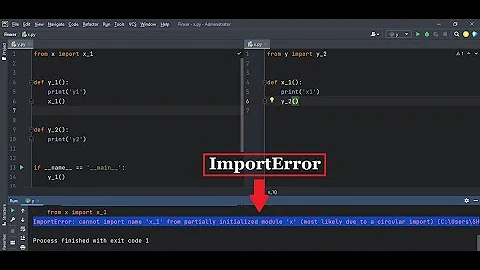
ImportError: cannot import name '...' from partially initialized module '...' (most likely due to a circular import)
Solution 1
You have a circular import.
authentication/models imports corporate/models, which imports corporate/models/section, which imports authentication/models.
You can't do that.
Solution 2
For future readers, this can also happen if you name a python file the same name as a dependency your project uses.
For example:
I cannot have a file named retrying.py that is using the retrying package.
Assuming I had the retrying package in my project, I could not have a file called retrying.py with the below contents:
from retrying import retry
print("HI")
A similar error with the message "most likely due to a circular import" would occur.
The same contents would work fine if I renamed the file to "retrying_example1.py"
Solution 3
When importing code from other files, it helps if you spell out the entire subpackage where the thing you want to import comes from. Let's say you have the following file structure:
mypackage/
  subpackage/
    __init__.py
    helper.py
  main/
    work.py
If:
__init__.pyimports things fromhelper.py(for the end-user to conveniently access)- and you're working inside
work.py - and you need something from
subpackage/helper.py
Then rather than doing:
from ..subpackage import thing_i_need
You should instead do:
from ..subpackage.helper import thing_i_need
For reasonable code, this should help you avoid some of the circular dependency problems, as now you're no longer relying on __init__.py to fully finish.
Solution 4
Changing the file name of your working file solves the issue in my case. It is for fbprophet circular import.
Solution 5
In my case the problem was that I defined the function in the x.py file and in the x.py file I import models from the modals.py file and in the modals.py file I tried to import this function I was trying to set the default value after querying the tables with this function
Related videos on Youtube
 07 : 07
 09 : 47
 12 : 31
3WZ
Updated on July 09, 2022Comments
-
3WZ 6 months
I'm upgrading an application from Django 1.11.25 (Python 2.6) to Django 3.1.3 (Python 3.8.5) and, when I run
manage.py makemigrations, I receive this messasge:File "/home/eduardo/projdevs/upgrade-intra/corporate/models/section.py", line 9, in <module> from authentication.models import get_sentinel** ImportError: cannot import name 'get_sentinel' from partially initialized module 'authentication.models' (most likely due to a circular import) (/home/eduardo/projdevs/upgrade-intra/authentication/models.py)**My models are:
authentication / models.py
from django.conf import settings
from django.contrib.auth.models import AbstractUser, UserManager
from django.db import models
from django.db.models.signals import post_save
from django.utils import timezone
from corporate.constants import GROUP_SUPPORT
from corporate.models import Phone, Room, Section
from library.exceptions import ErrorMessage
from library.model import update_through_dict
from .constants import INTERNAL_USER, EXTERNAL_USER, SENTINEL_USERNAME, SPECIAL_USER, USER_TYPES_DICT
class UserProfile(models.Model):
    user = models.OneToOneField(
        'User',
        on_delete=models.CASCADE,
        unique=True,
        db_index=True
    )
    ...
    phone = models.ForeignKey('corporate.Phone', on_delete=models.SET_NULL, ...)
    room = models.ForeignKey('corporate.Room', on_delete=models.SET_NULL, ...)
    section = models.ForeignKey('corporate.Section', on_delete=models.SET_NULL, ...)
    objects = models.Manager()
    ...
class CustomUserManager(UserManager):
    def __init__(self, type=None):
        super(CustomUserManager, self).__init__()
        self.type = type
    def get_queryset(self):
        qs = super(CustomUserManager, self).get_queryset()
        if self.type:
            qs = qs.filter(type=self.type).order_by('first_name', 'last_name')
        return qs
    def get_this_types(self, types):
        qs = super(CustomUserManager, self).get_queryset()
        qs = qs.filter(type__in=types).order_by('first_name', 'last_name')
        return qs
    def get_all_excluding(self, types):
        qs = super(CustomUserManager, self).get_queryset()
        qs = qs.filter(~models.Q(type__in=types)).order_by('first_name', 'last_name')
        return qs
class User(AbstractUser):
    type = models.PositiveIntegerField('...', default=SPECIAL_USER)
    username = models.CharField('...', max_length=256, unique=True)
    first_name = models.CharField('...', max_length=40, blank=True)
    last_name = models.CharField('...', max_length=80, blank=True)
    date_joined = models.DateTimeField('...', default=timezone.now)
    previous_login = models.DateTimeField('...', default=timezone.now)
    objects = CustomUserManager()
    ...
    def get_profile(self):
        if self.type == INTERNAL_USER:
            ...
        return None
    def get_or_create_profile(self):
        profile = self.get_profile()
        if not profile and self.type == INTERNAL_USER:
            ...
        return profile
    def update(self, changes):
        ...
class ExternalUserProxy(User):
    objects = CustomUserManager(type=EXTERNAL_USER)
    class Meta:
        proxy = True
        verbose_name = '...'
        verbose_name_plural = '...'
class InternalUserProxy(User):
    objects = CustomUserManager(type=INTERNAL_USER)
    class Meta:
        proxy = True
        verbose_name = '...'
        verbose_name_plural = '...'
def create_profile(sender, instance, created, **kwargs):
    if created and instance.type == INTERNAL_USER:
        try:
            profile = UserProfile()
            profile.user = instance
            profile.save()
        except:
            pass
post_save.connect(create_profile, sender=User)
def get_sentinel():
    try:
        sentinel = User.objects.get(username__exact=SENTINEL_USERNAME)
    except User.DoesNotExist:
        settings.LOGGER.error("...")
        from django.contrib.auth.models import Group
        sentinel = User()
        sentinel.username = SENTINEL_USERNAME
        sentinel.first_name = "..."
        sentinel.last_name = "..."
        sentinel.set_unusable_password()
        sentinel.save()
        technical = Group.objects.get(name=GROUP_SUPPORT)
        sentinel = User.objects.get(username__exact=SENTINEL_USERNAME)
        sentinel.groups.add(technical)
        sentinel.save()
    return sentinel
corporate / models /
__init__.py... from .section import Section ...corporate / models / section.py
from django.conf import settings
from authentication.models import get_sentinel
from .room import Room
class Section(models.Model):
    ...
    boss = models.ForeignKey(settings.AUTH_USER_MODEL, on_delete=models.SET(get_sentinel), ...)
    surrogate = models.ForeignKey(settings.AUTH_USER_MODEL, on_delete=models.SET(get_sentinel), ...)
    room = models.ForeignKey(Room, on_delete=models.SET_NULL, ...)
    is_subordinate_to = models.ForeignKey('self', on_delete=models.SET_NULL, ...)
    ...
What am I doing wrong?
-
 John Gordon about 2 yearsUpdate the question to show the imports at the top of
authentication/models.py. -
 user136036 almost 2 yearsNow that you got your answer what you did wrong, here is some actual help: Use
from module import *(in some cases). -
 Foxy Fox over 1 yearThis error might happen in case the name of your file is the same as the name of the package you connect. Just rename your file, and it will work.
 -
 Mark 10 monthsDoes this answer your question? cannot import name 'mydb' from partially initialized module 'connection' in Python
-
-
 thms over 1 yearI mean yeah. You can't do that. But some sense of how to address it could be useful.
 -
 Evgenia Karunus over 1 yearSorry how is this supposed to be useful?
 -
 Jonathan over 1 yearjust change the name of your file. Eg. you cant have ray.py and import ray as a package.
 -
 Tomerikoo about 1 yearPlease don't add "thank you" as an answer. Once you have sufficient reputation, you will be able to vote up questions and answers that you found helpful. - From Review
 -
 Leonardo Gomes 7 monthsThanks, this solved my problem! I had a file named "token.py", and only after renaming it to "generate-token.py", I could run it successfully.
 -
 Hem 6 months@LeonardoGomes Funny you say this. I had named my file exactly as "token.py" and got into this issue :)
 -
 rishikarri 6 monthsI'm glad I was able to help you out!