Intellij undo history size, not much?
Solution 1
In Intellij settings the clipboard settings I have tried with are 999 and 9999 and 99999 but it still too short on undos.
I've failed to see what "clipboard settings" have to do with the "undo limit" (or with "undo" at all). Care to explain?
Local History is definitely the way to go here as it works across sessions, files, and whole folders -- you can undo very complex operations in one click (e.g. replace/refactor in multiple files).
In any case: if Local History is to complex or you are a hardcore person who prefers to hit Ctrl + Z quite a few times in a row instead of few clicks with Local History, you can increase undo limit (which is 100 steps by default). For that:
- Open Registry (
Help | Find Action...and typeregistry) - Find
undo.documentUndoLimitentry and set your limit to a higher number (e.g.1000).
P.S. IDE restart may be required.
Solution 2
Actually, based on JetBrains Docs, for changing undo limit you should act just like below steps:
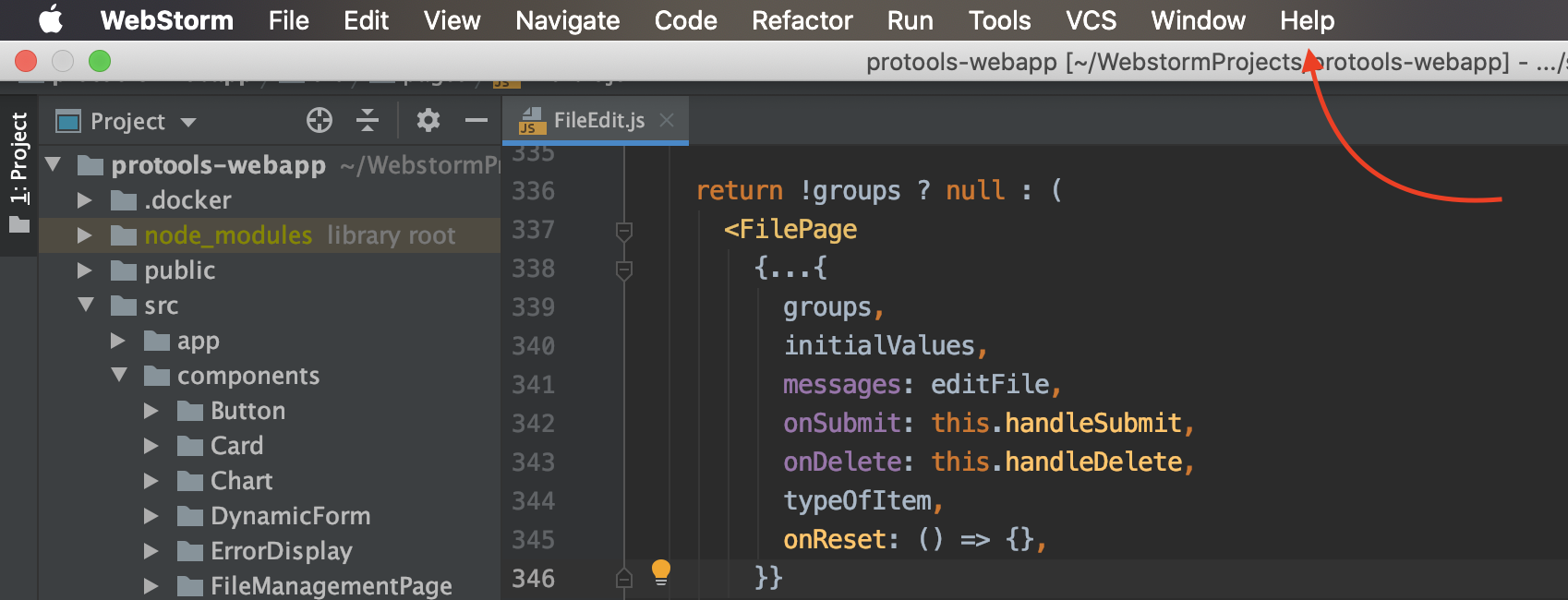
- click Help on the top menu:
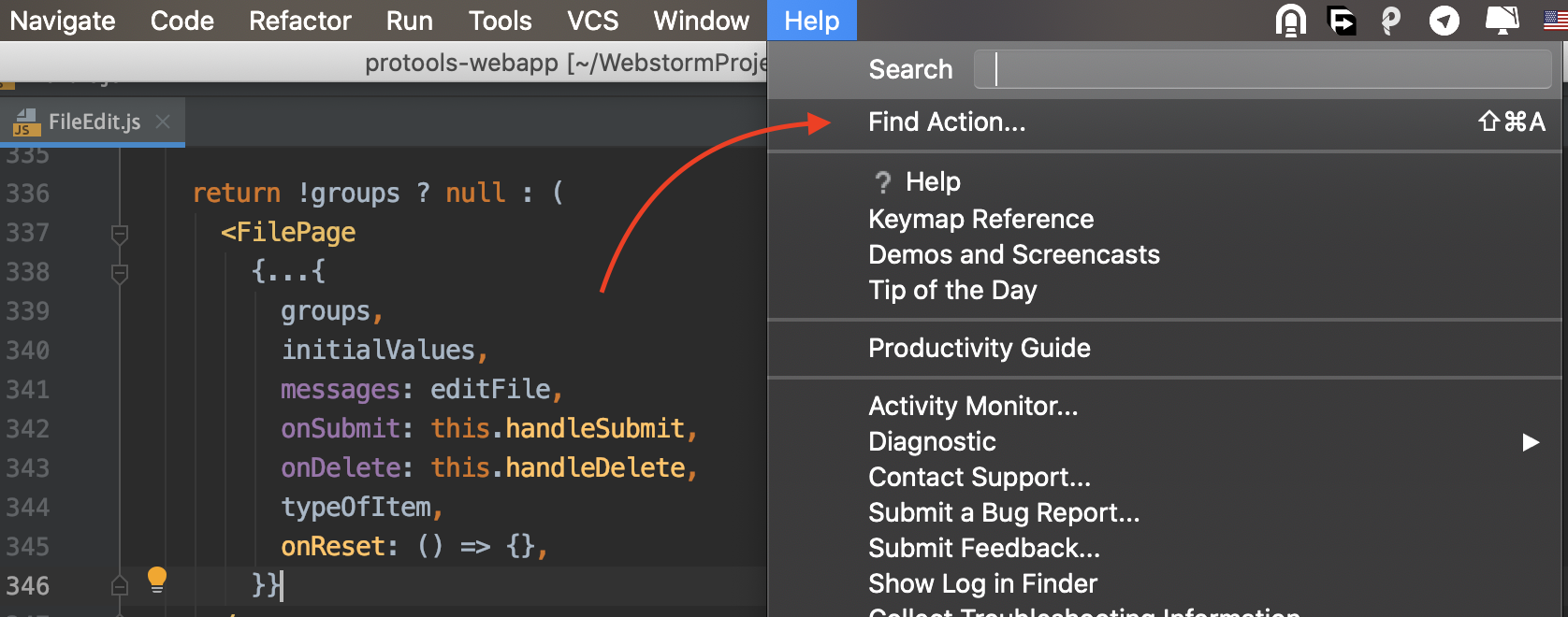
- Click on Find Action:
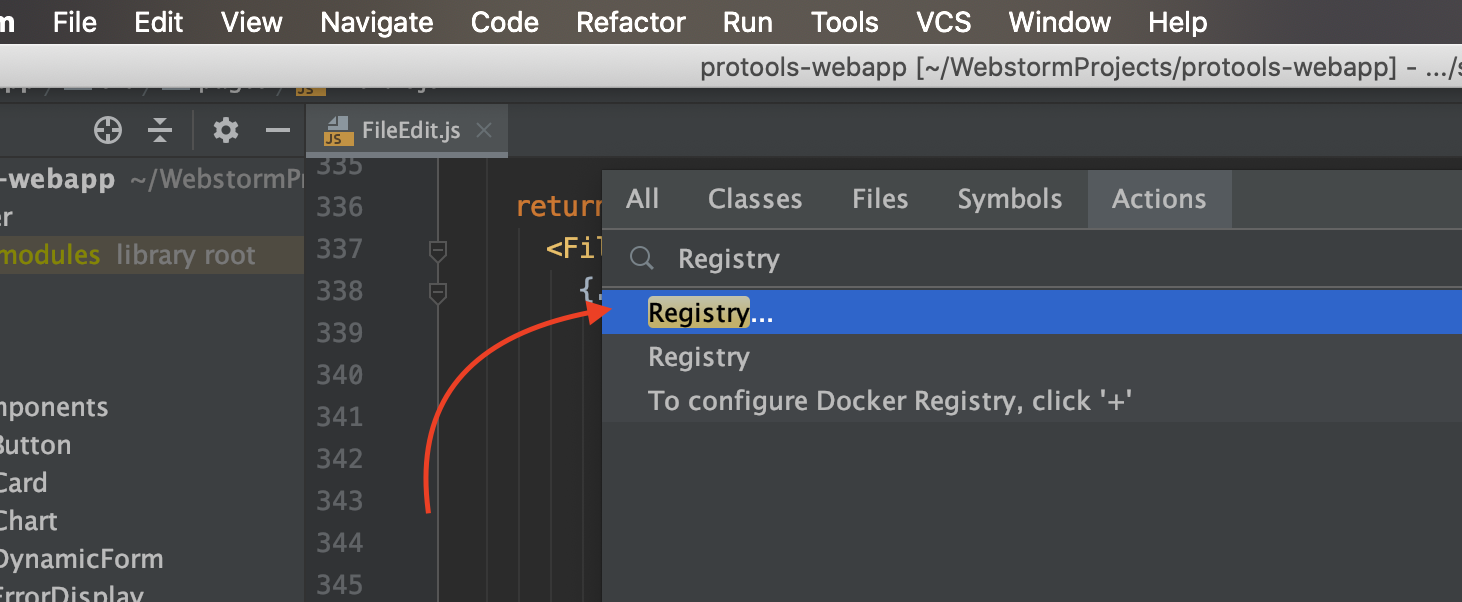
- Type Registry and open first result:
- On the opened window file
undo.documentUndoLimitandundo.globalUndoLimitand change it to number what you want.
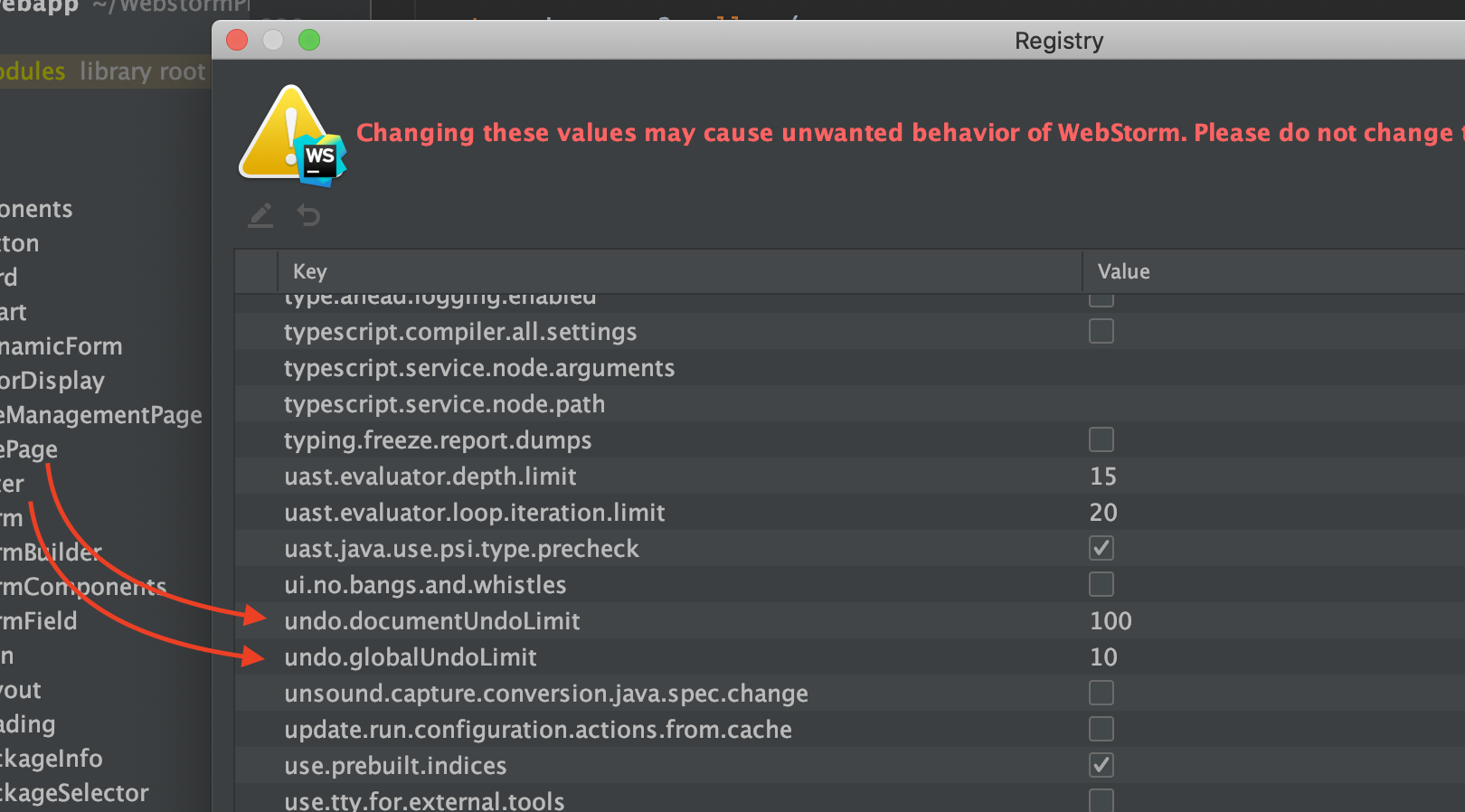
HINT: After change you should close your JetBrains IDE and open it again.
Solution 3
The "Maximum number of contents to keep in clipboard" setting has nothing to do with undos.
In fact, there is no configurable "undo history size" setting in IntelliJ. See this support issue:
For rolling back complex code changes gone awry, a far better option is to use the local history.
Local History is available under the menu "VCS" -> "Local History" -> "Show History". The feature is explained as:
IntelliJ IDEA tracks any changes you make to your source files or any other file, as well as the changes that affect a directory’s content and structure. This feature will protect you from any accidental losses or modifications, even if made by other applications outside IntelliJ IDEA. Setting version labels is also available. Any time you can inspect the history of either a particular file or directory and rollback to any of its previous versions.

mjs
Updated on June 17, 2022Comments
-
mjs 6 months
I like to be able to undo basically several hours of work in a file. I am unsure how to configure this.
In IntelliJ settings, the clipboard settings I have tried with are 999 and 9999 and 99999 but it still too short on undos.
How can I increase this?
-
mjs over 8 yearsso changing the "VCS" -> "Local History" -> "Show History" won't affect the cliboard eitehr? I need to go through the registry?
-
 LazyOne over 8 yearsOnce again: what "clipboard" has to do with (this time) "local history"?
 -
 Javaru over 8 yearsJust to add a couple of notes to @ford's excellent answer. By default, local history retains 5 working days of history. A working day is defined as a day you have the project open. So if you close a project, and don't work on it for a month, when you open it, you will still have the last 5 days of work you did. Invalidating caches (to solve index corrupt issues) will result in a loss of local history. So do not depend on it as a version control. Use a real VCS.
 -
Javaru over 8 yearsTo echo @LazyOne's question... it sounds like you are intermixing/confusing three different features: 1) Clipboard stacking which simply allows you to retain x number of copy and paste clips (via Ctrl+Shift+V). That is the "Maximum number of contents to keep in the clipboard". 2) Undo (Ctrl+Z) which LayzOne explains how to increase the size. And 3) Local History which ford explained.
-
 Ean V over 7 yearsTo add to the answer, in
Help | Find Actionthe check-box toInclude non-menu actionsshould be selected forRegistryto be shown. -
LazyOne over 7 years@Ean Possibly .. but since there is only one item with "registry" as part of the name ... it shows me such entry even without additional check box (unless, of course, it's because I have added Registry into actual Help menu).
-
Ean V over 7 years@LazyOne yep, its probably because you have it in your menu. Didn't show up for me without the checkbox. That would be good if added to answer tho.
-
mjs over 6 years@LazyOne Is there a way to configure that outside of Intellij, for instance in idea.properties? That way, when I install a new version, I will just copy and paste the top configurations so I don't have to use Intellij for a year before once again googling and dealing with this question again.
-
LazyOne over 6 years@momomo Not sure at all. Possibly yes but I have no concrete how-to examples (never did this myself). But such setting is stored in IDE-wide config .. so it should propagate to the new versions automatically (as long as you import/use configs from previous version).
-
 hipokito about 6 yearsFor all the Vegetarians, the maximum CP I was able to reach with 'undo.documentUndoLimit' is 999999999.
 -
mjs about 6 yearsI don't think it has to do with 9999 ... the setting in editor simply doens't work ... only the registory option works
-
mjs about 6 yearsIs there a way to set these configs from outside the editor, because the keep getting reset for updates and new intellij versions.
-
LazyOne about 6 years@momomo Do not know what's wrong with your settings. All changes that I apply with Registry screen gets saved and survives versions upgrades (even major ones) -- it is stored in one of the IDE-wide settings and it gets copied across on major version. But yeah -- I do not have custom value for this particular setting (standard undo limit is OK for me) .. so cannot say for this sure.
-
mjs about 6 years@LazyOne Yes, but some of these settings can be set in a idea.properties file for instance. I don't always upgrade using intellij upgrade process so it's difficult to repeat all these small steps.
-
 Jonas Hansel almost 6 years@LazyOne, many thanks you for the explanation, but quite frankly it would have been a a much better solution still if you'd saved that imo. rather condescending tone for a situation that actually warranted it. Everybody has their own ways, and whatever works best for someone is the best approach for that individual person. I'm one of those 'Hey, let's Ctrl-Z 1000 times if things went awry' - am I an amateur, or less of a developer now?
 -
LazyOne almost 6 years@JonasHansel No -- you are hardcore person :) But you are right -- I should edit the answer and remove that "over9000" and stuff like that -- it looks like I'm raging and immature in general when looking at it now.
-
Jonas Hansel almost 6 years@LazyOne - no problem at all! In the end your comment helped me a lot, but I just thought the tone was a bit unfortunate (at least in my view - t'was a rough day at the office that day). The fact that you acknowledge it says enough about your intentions, so thanks again! :)
-
 Adam about 4 yearsSadly, this no longer works. JetBrains appear to have removed the registry (at least from e.g. Rider). Sucks that the bug still exists (stupidly low undo history) and the workarounds for it are now disabled/removed.
 -
LazyOne about 4 years@Adam Show what entries you have there in
Helpmenu (not a Rider user hence asking that). There should be another way. -
 Jonathan Ma over 2 yearsWhat's the difference between global undo and document undo?
 -
 AmerllicA over 2 years@JonathanMa, Sometimes you wanna undo a specific file, sometimes you wanna undo whole the system. like undo migrating files between folders, undo deleting or adding files and etc.
 -
 Qumber over 1 yearHow do you draw those symmetrical curvy arrows? :-)
 -
AmerllicA over 1 year@Qumber, I have macOS, by pressing
⌘+⇧+4I can take a screenshot by a crop area directly, then I can click on raised thumbnail and then macOS open an application, inside this application you can draw line. in the end of my drawing, I try to draw arrow and this application turn it to clear arrow. simple.